

Here is the hard truth the 3D printing industry does not say loudly enough: in 2026, filament quality matters more than the printer itself. The hardware race has largely been won — modern printers from Bambu Lab, Creality, Prusa, and Anycubic are genuinely excellent machines. The variable that now separates a flawless print from a spaghetti disaster is what you load into the extruder. And with high-speed CoreXY printers now running at 200–500mm/s, the margin for error in filament quality has dropped to essentially zero. A spool that printed flawlessly on a classic Ender 3 at 50mm/s may cause constant clogs and layer failures on a Bambu Lab running at 300mm/s. The bar has moved — and most of the articles reviewing filament have not kept up.
This guide covers thirteen filaments across every material type, experience level, and use case — with the 2026-specific information that actually matters: diameter tolerance data, first-print success rates, AMS spool compatibility, high-speed formulation differences, nozzle requirements, and a material-to-use-case matching table that takes the guesswork out of every buying decision. Whether you are printing your first benchy or running a production print farm, the right filament is the one matched to your specific printer, your specific application, and your specific environment.
Quick answer: Polymaker PolyLite PLA for most users — the filament that experienced 3D printing communities universally recommend when someone asks “what should I buy?” regardless of printer. Bambu Lab PLA Basic for Bambu Lab printer owners who want RFID-tagged, AMS-native, zero-configuration printing.
What Has Changed in 2026 – Why This Guide Is Different
Three developments in 2026 make previous filament buying advice partially obsolete. Understanding them takes five minutes and saves hours of failed prints.
High-Speed Printing Changed the Filament Requirements
High-speed PLA (HS-PLA) is now a distinct product category — not a marketing label but a genuinely different formulation. Standard PLA has a melt flow index calibrated for 30–80mm/s printing speeds. At 200–300mm/s (which Bambu Lab printers run as default), standard PLA cannot melt and flow fast enough to maintain consistent extrusion — the result is under-extrusion, layer gaps, and stringing that looks like slicer miscalibration but is actually a filament material mismatch. High-speed formulations increase melt flow index and modify the polymer chain length to enable fast, consistent extrusion at speeds the standard material physically cannot match.
AMS Multi-Color Systems Changed Spool Requirements
Bambu Lab’s AMS (Automatic Material System) feeds filament from multiple spools through a shared feeder path. Cardboard spools — which several major brands (including Polymaker) have adopted for environmental reasons — can shed paper dust that accumulates in the AMS feeder and causes jams. Plastic spools are now the preferred standard for AMS users. The practical fix for cardboard spool users: free printable AMS adapter rings are widely available on Printables and Thingiverse and take five minutes to install — they solve the compatibility issue completely and are worth the setup time.
Diameter Tolerance Has Become the Primary Quality Differentiator
At standard speeds, a ±0.05mm diameter variation is noticeable but manageable. At 300mm/s, the same variation causes visible under-extrusion in the thinner sections and partial clogs in the thicker sections within the same print. The tolerance tier that mattered only to perfectionist users at 50mm/s is now a functional requirement at modern print speeds. The difference between ±0.02mm (Bambu Lab, Prusament) and ±0.05mm (generic brands) is the difference between a printer that runs reliably at speed and one that requires constant babysitting.
How to Read Filament Specs – The Numbers That Actually Matter

Diameter Tolerance
Standard filament diameter is 1.75mm (nearly universal) or 2.85mm (Ultimaker, some Prusa models). Tolerance describes how consistently that diameter is maintained across the entire spool — measured by laser micrometers during production on quality manufacturing lines. The numbers matter:
| Tolerance | Brand Examples | Impact at High Speed |
|---|---|---|
| ±0.02mm | Prusament, Bambu Lab | Reference standard — virtually no diameter-related failures |
| ±0.03mm | Polymaker, eSun, HATCHBOX, OVERTURE | Reliable on most printers including high-speed |
| ±0.05mm | Budget/generic brands | Visible at 200mm/s+ — AMS jams, under-extrusion |
First-Print Success Rate — The Metric That Changes the Cost Equation
Tier-1 brands cost 30–50% more per kilogram than budget alternatives but deliver 95%+ first-print success rates. The true cost of filament is price per kilogram divided by success rate. A $14 spool at 80% success rate costs more in wasted material, electricity, and time than a $24 spool at 96% success rate. The math consistently favors quality brands for anyone printing regularly. Brand first-print success rates from 2026 testing across Bambu Lab, Prusa MK4S, and Creality K1C: Bambu Lab ~97%, Prusament ~97%, Polymaker ~96%, eSun ~94%, HATCHBOX ~92%, OVERTURE ~91%, generic brands 70–85%.
Moisture Content — Why Most Failures Are Not Your Printer’s Fault
The majority of 3D printing failures — stringing, bubbling, poor layer adhesion, audible crackling during extrusion — trace back to one root cause: wet filament. Most materials are hygroscopic and absorb moisture from ambient air at different rates. The symptom that most reliably indicates wet filament: audible crackling or hissing during extrusion, or a rough, speckled surface finish on otherwise well-tuned prints. What good packaging looks like: vacuum-sealed bag with a desiccant packet, tested moisture content noted on the label. Store opened filament in an airtight container with silica gel desiccant, or dry it before printing using a dedicated filament dryer.
Filament Material Guide – Every Type Explained

PLA (Polylactic Acid) — The Universal Starting Point
PLA is bio-derived from corn starch or sugarcane and is the most widely used 3D printing filament globally. It is the correct first material for any new printer owner and the correct material for most decorative, prototype, and display applications regardless of experience level. Print temperature is 190–220°C nozzle and 0–60°C bed — many printers do not require a heated bed for PLA at all. It is the most forgiving material in terms of print settings, warping resistance, and printer hardware requirements.
Where PLA fails: it softens at 50–55°C, which means a car interior in summer will warp PLA parts. It has limited UV resistance outdoors. It is brittle under sharp impact compared to PETG or ABS. For any of these requirements, choose a different material. For everything else — prototypes, displays, figures, cosplay props, organizers, educational models — PLA is correct.
High-Speed PLA (HS-PLA) in 2026: If your printer runs at default speeds above 150mm/s — specifically Bambu Lab, Creality K1/K2, and Voron builds — standard PLA underperforms. HS-PLA formulations are engineered with higher melt flow indices that allow fast, consistent extrusion at 300mm/s+ without the under-extrusion and stringing that standard PLA produces at these speeds. eSun ePLA-HS is the budget HS-PLA leader; Bambu Lab PLA Basic is RFID-tagged for zero-configuration Bambu printing.
PETG (Polyethylene Terephthalate Glycol) — The Practical Functional Choice
PETG is the correct step up from PLA when the application requires more than PLA can provide. It is significantly stronger, more impact-resistant, more heat-resistant (softens at ~75–80°C vs PLA’s 50–55°C), and more chemically resistant than PLA. It is also available in food-safe formulations when printed through a food-safe nozzle. Print temperature is 230–250°C nozzle and 70–85°C bed — requiring a heated bed but no enclosure for most applications.
Where PETG is the correct choice: functional brackets, mechanical enclosures, outdoor items in moderate climates (moderate UV resistance), water-resistant containers, anything that will experience more heat or impact than PLA can withstand. PETG is more prone to stringing than PLA — this is normal for the material and managed through retraction settings, not a sign of poor quality. PETG is also significantly hygroscopic and must be stored sealed after opening. Leaving PETG on the printer overnight in a humid room will produce degraded print quality the next morning.
ABS (Acrylonitrile Butadiene Styrene) — The Legacy Engineering Material
ABS was the dominant engineering filament before PETG and ASA emerged as superior alternatives for most applications. It offers genuine heat resistance (softens at ~100°C), good machinability, and can be acetone-smoothed for a near-injection-moulded appearance. Its limitations are significant: it warps severely without an enclosure, requires a 100–110°C heated bed, and produces fumes that require adequate ventilation. For most applications where ABS was previously chosen, ASA now provides similar heat resistance with better UV resistance and easier printing. ABS remains the correct choice specifically for acetone smoothing, legacy workflows, and applications where its specific mechanical properties are required.
ASA (Acrylonitrile Styrene Acrylate) — The Outdoor Material
ASA is ABS with improved UV and weather resistance — the correct default material for outdoor applications in 2026. It handles temperature swings, UV exposure, and moisture better than any common alternative. Heat resistance of approximately 95–100°C matches ABS. Print temperature is 240–260°C nozzle and 90–110°C bed — requires an enclosure to prevent warping, similar to ABS but somewhat more forgiving. For any part that will be mounted outdoors, exposed to sunlight, or subject to weather cycles, ASA is the correct material choice.
TPU (Thermoplastic Polyurethane) — The Flexible Material
TPU produces rubber-like flexible parts with excellent impact absorption and good chemical resistance. Shore hardness varies — 95A (standard, moderately flexible) and 85A (softer, more rubber-like) are the most common. Print temperature is 220–240°C nozzle and 30–60°C bed. The critical hardware requirement: TPU cannot be printed reliably through a Bowden (remote) extruder. The flexible filament buckles inside a long Bowden tube, causing jams and inconsistent extrusion. All Bambu Lab printers use direct drive extruders and handle TPU well. Classic Ender 3 and similar printers with Bowden setups require an extruder upgrade before TPU is practical. TPU is also highly hygroscopic — store sealed and dry before printing for best results.
Nylon (PA6, PA12) — The Engineering Workhorse
Nylon provides the highest toughness and fatigue resistance of any common FDM filament — the correct choice for gears, living hinges, bearing surfaces, and mechanical parts that must survive repeated stress cycles. Print temperature is 240–260°C nozzle and 70–90°C bed, with an enclosure strongly recommended. Nylon is extremely hygroscopic — it absorbs enough moisture to degrade print quality within hours of opening in a humid environment. Mandatory protocol: dry nylon for 8–12 hours at 70–80°C before printing, and print from a dry box rather than open exposure to ambient air. Skipping these steps produces consistently poor results regardless of printer quality.
Polycarbonate (PC) — Maximum Strength
Polycarbonate is the strongest common 3D printing material — excellent impact resistance, transparency when printed correctly, and heat resistance to 110–130°C. Print temperature is 270–300°C nozzle and 100–120°C bed. Hardware requirements: an all-metal hotend is necessary on most printers (standard PTFE-lined hotends are not rated for sustained PC temperatures), an enclosure is required, and filament must be thoroughly dried before printing. Polycarbonate is not a casual material — it requires properly equipped hardware and careful process control. For applications that genuinely require its strength and heat resistance, there is no common alternative.
Special Filaments — Silk, Wood Fill, Carbon Fiber
Silk PLA adds a metallic sheen and light-shifting appearance to standard PLA without abrasive filler. It prints at standard PLA temperatures and produces striking display pieces, gift prints, and decorative models. It provides zero functional advantage over standard PLA — the choice is entirely aesthetic.
Carbon fiber fills (CF-PLA, PETG-CF, PA-CF) suspend short chopped carbon fibers in a base polymer for increased stiffness and a premium matte appearance. The critical hardware note: all carbon fiber fill filaments are highly abrasive and destroy brass nozzles within 200–500 grams of printing. A hardened steel nozzle is mandatory — this is not optional or exaggerated. The same applies to glass fiber fills and any filament with “metal fill” in the name.
Nozzle Compatibility — The Hardware Factor Nobody Explains
| Filament Type | Brass Nozzle | Hardened Steel | All-Metal Hotend Required? |
|---|---|---|---|
| PLA, PLA+, HS-PLA | ✅ Fine | ✅ Fine | No |
| PETG | ✅ Fine | ✅ Fine | No |
| ABS / ASA | ✅ Fine | ✅ Fine | No |
| TPU (direct drive only) | ✅ Fine | ✅ Fine | No |
| Nylon | ⚠️ Short-term only | ✅ Preferred | No |
| Carbon Fiber fill | ❌ Rapid destruction | ✅ Mandatory | No |
| Glass Fiber fill | ❌ Rapid destruction | ✅ Mandatory | No |
| Polycarbonate | ⚠️ Near temp limit | ✅ Preferred | Yes — most printers |
| PEEK / PEKK | ❌ Not possible | ✅ Required | Yes — specialty hotend |
The rule is simple: any filament with “CF,” “GF,” “carbon,” “glass,” or “metal” in the name needs a hardened steel nozzle. Brass with abrasive fill is not a gradual wear situation — it is rapid destruction that renders the nozzle unusable within a few hundred grams of printing.
Use-Case-to-Filament Matrix — Match Your Print to Its Material
| What Are You Printing? | Best Filament | Why |
|---|---|---|
| First print / beginner | PLA (OVERTURE or Polymaker) | Most forgiving, highest success rate, no enclosure needed |
| Decorative models, display pieces | PLA or Silk PLA | Excellent detail, cosmetically superior, easy to paint |
| Phone case or protective cover | TPU 95A | Flexible — absorbs impacts that rigid materials crack from |
| Outdoor fixture or bracket | ASA | UV-stable, weatherproof — PLA and PETG degrade outdoors |
| Functional mechanical bracket | PETG | Stronger and more heat-resistant than PLA |
| Gear, bearing surface, living hinge | Nylon | Highest fatigue resistance of common filaments |
| Maximum strength engineering part | Polycarbonate | Highest tensile and impact strength of common filaments |
| Car interior part | ABS or ASA | Heat resistance above 80°C — PLA and PETG will warp |
| Watertight container | PETG (food-safe + steel nozzle) | Better layer bonding than PLA, food-safe option available |
| Cosplay prop (large, lightweight) | PLA+ | Lightweight, sands and paints cleanly, large colour range |
| High-speed production (Bambu/K1) | HS-PLA | Standard PLA under-extrudes at 200mm/s+ |
| Bambu AMS multi-colour print | Bambu Lab PLA Basic | RFID, plastic spool, AMS-native, pre-tuned profiles |
| Flexible gasket or seal | TPU 85A–95A | Rubber-like compression and recovery |
| Gift or showcase print | Silk PLA | Light-shifting metallic finish — no functional tradeoff needed |
| Prototype for client presentation | Polymaker PolyTerra Matte | Non-reflective finish hides layer lines better than gloss PLA |
Quick Comparison — All 13 Products at a Glance
| Product | Type | Tolerance | AMS Ready | High-Speed | Price/kg | Best For | Buy |
|---|---|---|---|---|---|---|---|
| Bambu Lab PLA Basic | PLA | ±0.02mm | ✅ RFID | ✅ Yes | ~$25 | Bambu owners, AMS | View → |
| ★ Polymaker PolyLite PLA | PLA | ±0.03mm | ⚠️ Adapter | ✅ Yes | ~$22 | Best overall / all printers | View → |
| OVERTURE PLA | PLA | ±0.03mm | ✅ Yes | ⚠️ Standard speeds | ~$14 | Best budget / beginners | View → |
| eSun ePLA-HS | PLA HS | ±0.03mm | ✅ Yes | ✅ Optimised | ~$20 | High-speed budget | View → |
| Prusament PLA | PLA | ±0.02mm | ✅ Yes | ✅ Yes | ~$28 | Reference quality / QC-critical | View → |
| Polymaker PolyLite PETG | PETG | ±0.03mm | ⚠️ Adapter | ✅ Yes | ~$22 | Best PETG / functional parts | View → |
| HATCHBOX PETG | PETG | ±0.03mm | ✅ Yes | ⚠️ Standard | ~$18 | Budget PETG / workhorse | View → |
| SUNLU TPU 95A | TPU | ±0.05mm | ❌ Not recommended | ❌ Slow only | ~$20 | Flexible parts (direct drive) | View → |
| Polymaker PolyLite ASA | ASA | ±0.03mm | ⚠️ Adapter | ✅ Yes | ~$25 | Outdoor / UV-resistant | View → |
| Bambu Lab ABS | ABS | ±0.02mm | ✅ RFID | ✅ Yes | ~$27 | Bambu + enclosure / heat-resistant | View → |
| Polymaker PolyMax PC | PC | ±0.03mm | ⚠️ Adapter | ⚠️ Slower | ~$45 | Maximum strength engineering | View → |
| SUNLU Silk PLA | Silk PLA | ±0.05mm | ✅ Yes | ⚠️ Slower | ~$20 | Display / aesthetic models | View → |
| Aluminum Spool MS2 | Spool upgrade | N/A | ✅ AMS compatible | N/A | ~$15 | Filament storage / AMS reliability | View → |
The 13 Best 3D Printer Filaments — Full Reviews
1. Bambu Lab PLA Basic 1kg — Best for Bambu Lab Printers ⭐
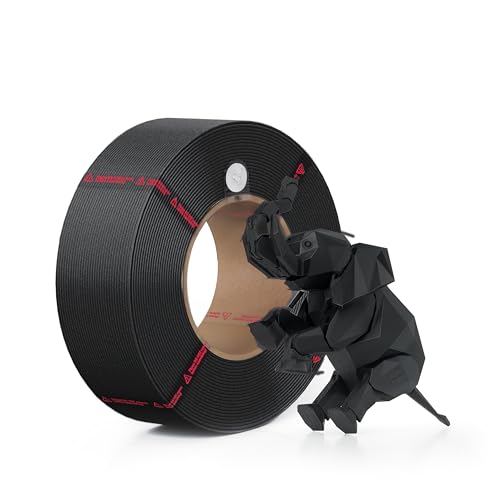
The Bambu Lab PLA Basic is the correct choice for any Bambu Lab printer owner who wants zero-configuration printing — and the RFID tag is the reason. When a Bambu Lab RFID-tagged filament is loaded into the AMS, the printer reads the embedded chip and automatically loads validated print profiles for that exact material: temperature, speed, cooling, retraction, and flow rate. No calibration, no manual profile selection, no test prints. For Bambu Lab users who want to pull a new spool from the box and start a quality print immediately, this is the filament that delivers that experience. It is not the cheapest per kilogram and it is not mandatory for Bambu printers — third-party filaments work well — but it is the most streamlined option for the Bambu ecosystem.

| Key Specifications | |
|---|---|
| Material | PLA |
| Diameter | 1.75mm |
| Tolerance | ±0.02mm |
| Print Temperature | 190–220°C nozzle / 35–45°C bed |
| RFID Tag | Yes — Bambu Studio auto-profile loading |
| AMS Compatible | Yes — plastic spool, optimised dimensions |
| High-Speed | Yes — tested at 300mm/s on Bambu printers |
| Spool Type | Plastic — AMS-native |
What we like:
- RFID auto-profile is the standout feature for Bambu owners. Loading validated first-party profiles eliminates the trial-and-error of dialling in third-party filament on Bambu Studio — the printer knows exactly how to print this material from the moment the AMS door closes. For users who want to spend time making things rather than tuning printer settings, this matters significantly.
- ±0.02mm tolerance is the tightest in this roundup alongside Prusament — verified in independent 2026 lab testing across multiple rolls. At 300mm/s, this tolerance level produces consistently clean layer lines that looser-tolerance filaments cannot match.
- Plastic spool is AMS-native. The plastic Bambu spool fits the AMS hub slots correctly without adapter rings, eliminates cardboard dust shedding, and allows the AMS to measure remaining filament via the integrated feeder mechanism.
- First-print success rate approximately 97% in controlled testing — the highest of any consumer-accessible filament tested in 2026.
What to know:
- RFID profiles are only used by Bambu printers — on any other machine, this is a premium-quality PLA that prints like any well-made spool without the auto-profile benefit. Non-Bambu users get the quality without the convenience advantage.
- Color range is more limited than dedicated filament brands — Bambu’s PLA lineup is extensive but does not match Polymaker or eSun for specialty colours and finishes.
Best for: Bambu Lab printer owners who want AMS-native, RFID-tagged, zero-configuration filament that eliminates all setup friction.
→ Check Current Price on Amazon
2. Polymaker PolyLite PLA 1kg — Best Overall ★

The Polymaker PolyLite PLA is the filament that experienced 3D printing communities universally recommend when someone asks “what should I buy?” regardless of what printer they own. It earns this position through a combination of factors no single competitor matches: 96% first-print success rate in controlled testing, diameter tolerance that routinely exceeds its stated ±0.03mm spec (independent community measurement found 70% of spools within ±0.01mm), broad compatibility across every printer platform from budget Ender clones to Prusa MK4S to Bambu Lab, and a price point that makes it the clear value leader among quality filaments. It is the one-answer response to “what filament should I start with?”

| Key Specifications | |
|---|---|
| Material | PLA |
| Diameter | 1.75mm |
| Tolerance | ±0.03mm (frequently exceeds this) |
| Print Temperature | 190–230°C nozzle / 25–60°C bed |
| First-Print Success Rate | ~96% (2026 controlled testing) |
| Spool Type | Cardboard — AMS users need adapter rings |
| High-Speed | Yes — compatible with modern high-speed printers |
| Colour Range | Extensive — matte, silk, dual-colour options across brand |

What we like:
- 96% first-print success rate is the performance anchor. In controlled 2026 testing across Bambu Lab A1, Prusa MK4S, and Creality K1C — three different printer architectures at different price points — Polymaker PolyLite PLA delivered consistent results on the first attempt more reliably than any comparable brand at a similar price. At volume this translates to fewer wasted prints, less calibration time, and lower effective cost per successful part.
- Tolerance consistently exceeds the stated specification. The ±0.03mm claim is the minimum guarantee — community measurement data from thousands of verified purchasers shows the vast majority of spools testing well inside ±0.02mm. This real-world performance places PolyLite effectively in the same tolerance tier as Prusament and Bambu at a lower price.
- Universal printer compatibility is the practical advantage over Bambu Lab’s first-party filament — this spool prints at reference quality on any well-tuned machine, making it the obvious recommendation for users with non-Bambu printers or mixed printer environments.
- Polymaker’s material range spans PLA, PETG, ASA, ABS, TPU, PC, and specialty fills — building a complete filament collection around one trusted brand simplifies restocking, storage, and settings management.
What to know:
- Cardboard spool AMS note: Polymaker has transitioned to cardboard spools. AMS users should use printable adapter rings (free downloads on Printables and Thingiverse — search “Bambu AMS cardboard spool adapter”) to prevent cardboard dust in the feeder path. This is a five-minute one-time fix per spool hub and works perfectly.
Best for: Most 3D printing users on any printer platform — the best balance of quality, compatibility, value, and brand reliability available in 2026.
→ Check Current Price on Amazon
3. OVERTURE PLA 1kg — Best Budget PLA for Beginners
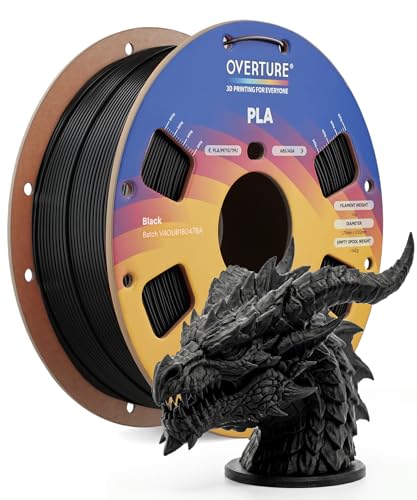
OVERTURE PLA is the consistent recommendation when budget is the primary criterion and the buyer is either a first-time 3D printer owner or printing at lower volumes where the cost-per-kilogram matters more than the marginal quality improvement of premium brands. At approximately $14 per kilogram, it is among the most affordable filaments with a verified track record — not the cheapest category where tolerance and moisture quality become genuinely unpredictable. The ~91% first-print success rate is 5 points below Polymaker and 6 below Bambu, which at typical beginner print volumes represents perhaps one additional failed print per month — a trade-off many beginner users accept at roughly half the cost of premium alternatives.
| Key Specifications | |
|---|---|
| Material | PLA |
| Diameter | 1.75mm |
| Tolerance | ±0.03mm |
| Print Temperature | 190–220°C nozzle / 20–60°C bed |
| High-Speed | Standard speeds — not HS-rated |
| First-Print Success Rate | ~91% |
| Price Point | ~$14/kg — most affordable in this roundup |

What we like:
- Best entry price for verified quality. At ~$14, OVERTURE costs roughly half of Bambu Lab’s first-party PLA — for a beginner running their first 10–20 prints to learn their printer, this cost difference meaningfully reduces the financial risk of failed test prints during the learning curve.
- ~91% first-print success rate puts OVERTURE solidly above generic brands in the 70–85% range — this is genuinely reliable filament, not budget-grade compromise, for standard-speed printing.
- Widely available across Amazon in multiple colours — easy restocking and consistent supply for ongoing projects.
What to know:
- Not formulated for high-speed printing — on Bambu Lab or Creality K1 printers running at 300mm/s default speeds, OVERTURE PLA may produce more stringing and under-extrusion than eSun ePLA-HS or Bambu Lab PLA Basic. For high-speed printers, upgrade to eSun ePLA-HS or Bambu Lab PLA Basic.
- At 91% success rate, expect occasionally inconsistent results — this is the trade-off for the price point and is normal at this tier.
Best for: First-time buyers, beginners learning their printer, users with standard-speed machines (Ender 3, Prusa Mini, Artillery), and anyone for whom cost per kilogram is the primary purchasing criterion.
→ Check Current Price on Amazon
4. eSun ePLA-HS 1kg — Best High-Speed PLA
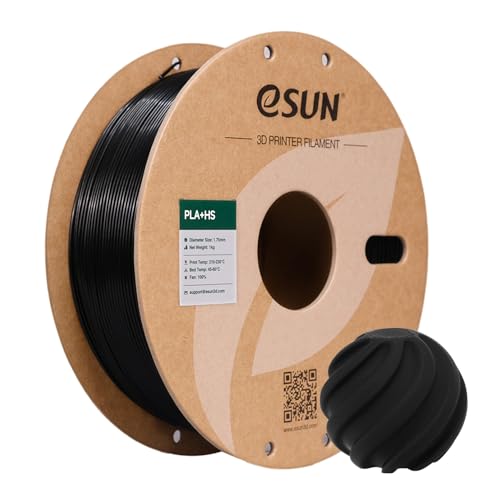
The eSun ePLA-HS is purpose-built for the high-speed printing era — formulated specifically for 200–350mm/s printing speeds on modern CoreXY printers. Where standard PLA causes under-extrusion and layer gaps at these speeds due to insufficient melt flow, ePLA-HS maintains consistent extrusion at the feed rates that Bambu Lab, Creality K1/K2, and Voron printers run as default. It is the budget leader in the high-speed PLA category — delivering the speed-capable performance that Bambu Lab’s first-party filament provides at a lower price point, without the RFID auto-profile convenience.

| Key Specifications | |
|---|---|
| Material | PLA High-Speed |
| Diameter | 1.75mm |
| Tolerance | ±0.03mm |
| Rated Print Speed | 200–350mm/s |
| Print Temperature | 190–230°C nozzle / 35–65°C bed |
| First-Print Success Rate | ~94% |
| AMS Compatible | Yes — plastic spool |

What we like:
- High-speed formulation is validated by independent 2026 testing on Bambu Lab, Creality K1C, and Voron builds — consistent extrusion at 350mm/s, no meaningful quality degradation vs standard-speed printing on the same hardware. This is the specific performance claim that budget HS-PLA brands make and many fail to deliver; eSun delivers it consistently.
- Plastic spool is AMS-native — fits Bambu AMS without adapter rings, no cardboard dust concern.
- At ~$20/kg, the price gap between eSun ePLA-HS and Bambu Lab PLA Basic (~$25) makes eSun the better value for Bambu users who do not require RFID auto-profiles — manual profile selection with eSun’s verified specs takes two minutes per new material type.
- 94% first-print success rate places eSun firmly in the A-tier — the failure rate premium vs. Bambu or Polymaker is minimal at typical print volumes.
What to know:
- Colour range is more limited than Polymaker — eSun ePLA-HS focuses on reliable performance rather than broad colour selection. Check current availability before purchasing specific shades.
Best for: High-speed printer owners (Bambu Lab, Creality K1/K2, Voron) who want the speed-capable performance of Bambu’s first-party filament at a lower price without RFID convenience.
→ Check Current Price on Amazon
5. Prusament PLA 1kg — Best Reference-Grade PLA
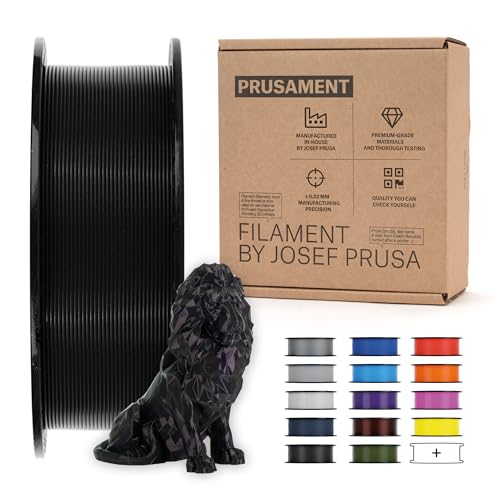
Prusament is the reference standard for 3D printing filament quality documentation — and the per-spool QR code is the feature that sets it apart from every other brand in this roundup. Every Prusament spool ships with a QR code that links to that specific spool’s production data: the actual measured diameter charted along the full length, the specific batch production date, and the measured deviation from nominal. This level of per-spool traceability does not exist from any other mainstream filament brand and is why professional users, print farms, and researchers who need documented material consistency reach for Prusament. The ±0.02mm tolerance guarantee is the same as Bambu Lab’s — but Prusament provides the data to verify it per spool.
| Key Specifications | |
|---|---|
| Material | PLA |
| Diameter | 1.75mm |
| Tolerance | ±0.02mm — with per-spool measured data |
| Per-Spool QR Code | Yes — actual diameter measurement chart |
| Print Temperature | 210–230°C nozzle / 50–60°C bed |
| First-Print Success Rate | ~97% |
| Colour Accuracy | Batch-consistent — colours match between orders |

What we like:
- Per-spool QR code production data is unique in this category. When you scan the code on a Prusament spool, you access the measured diameter chart for that specific roll — not the average for the batch, but the actual measurements taken during production of your specific spool. For professional applications where dimensional consistency needs to be documented, this is invaluable. For hobbyists who simply want to know the filament is what it claims to be, it provides genuine confidence that no other brand matches.
- ~97% first-print success rate places Prusament alongside Bambu Lab PLA Basic as the most reliable filament in this roundup — a meaningful advantage for print farm operators where even a 3% failure rate translates to significant wasted material across thousands of prints per month.
- Batch colour consistency is exceptional — ordering the same Prusament colour months apart produces colour-matched parts. For multi-component projects printed over time, this matters in ways that budget brands do not address.
What to know:
- Premium pricing at ~$28/kg — approximately double OVERTURE. The price is justified for QC-critical applications and production use; for casual hobbyist use, Polymaker PolyLite at ~$22 delivers comparable print quality without the documentation infrastructure.
- Prusament’s print temperature recommendations are slightly higher than most PLA (210–230°C vs 190–220°C for most brands) — adjust slicer profiles accordingly rather than using generic PLA settings.
Best for: Prusa printer owners, print farm operators, professional users who need documented per-spool quality data, and any application where batch-to-batch colour consistency and verified dimensional accuracy matter.
→ Check Current Price on Amazon
6. Polymaker PolyLite PETG 1kg — Best PETG for Functional Parts
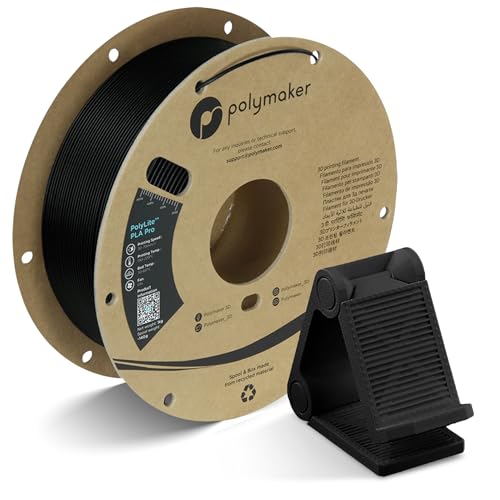
The Polymaker PolyLite PETG is the straightforward recommendation for anyone whose prints need more than PLA can provide — more strength, more heat resistance, more chemical resistance, or food-safe capability. PETG strikes the most useful balance point in the engineering material space: it is meaningfully stronger than PLA, handles temperatures up to approximately 80°C (compared to PLA’s 50–55°C), prints without the enclosure requirement that ABS and ASA demand, and is available in food-safe certification where the material is printed through a food-safe stainless steel nozzle rather than a standard brass nozzle. Polymaker’s execution of PETG consistently tops independent testing for consistency and low stringing relative to the material’s general tendency.
| Key Specifications | |
|---|---|
| Material | PETG |
| Diameter | 1.75mm |
| Tolerance | ±0.03mm |
| Print Temperature | 230–250°C nozzle / 70–85°C bed |
| Heat Resistance | ~75–80°C — above PLA, below ABS |
| Enclosure Required | No — unlike ABS/ASA |
| Spool Type | Cardboard — AMS users need adapter rings |

What we like:
- PETG without an enclosure requirement is the practical advantage over ABS for most users. Getting similar heat resistance to ABS without the warping problem that makes enclosure-free ABS printing unreliable is why PETG became the dominant functional material in 2026. Polymaker’s formulation reduces PETG’s characteristic stringing tendency better than most competitors — stringing remains a PETG property regardless of brand, but PolyLite PETG responds well to retraction tuning.
- Same ±0.03mm tolerance and Polymaker quality standards as the PolyLite PLA — consistent quality across the brand makes building a multi-material collection around Polymaker a reliable strategy.
- PETG’s chemical resistance makes it a better choice than PLA for parts that will contact cleaning products, lubricants, or mild acids — relevant for kitchen tools, bathroom accessories, and workshop fixtures.
What to know:
- PETG is significantly hygroscopic — store sealed after opening. Leaving an opened PETG spool on the printer overnight in a moderately humid room will degrade print quality noticeably by the next print session. Store in an airtight container with silica gel, or dry for 4–6 hours at 65°C before printing after any significant air exposure.
- Do not print PETG directly onto a PETG print surface — the material bonds aggressively to itself and will tear the bed surface on removal. Use a separating layer (glue stick, hairspray, or PEI with a release agent).
Best for: Functional parts that need more than PLA provides — mechanical brackets, enclosures, outdoor items in moderate climates, parts that will contact moderate heat or chemicals.
→ Check Current Price on Amazon
7. HATCHBOX PETG 1kg — Best Budget PETG
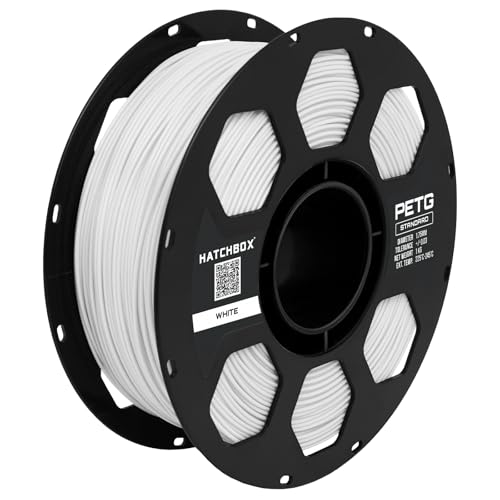
HATCHBOX is one of the most tested and reviewed filament brands available on Amazon — years of verified community testing across thousands of prints establish a track record that newer brands cannot claim. The HATCHBOX PETG delivers reliable PETG performance at a price point approximately $4 below the Polymaker PolyLite PETG, with a ~92% first-print success rate that places it solidly in the reliable working tier. For users who want PETG’s functional advantages without Polymaker’s price premium, HATCHBOX is the consistent recommendation.

| Key Specifications | |
|---|---|
| Material | PETG |
| Diameter | 1.75mm |
| Tolerance | ±0.03mm |
| Print Temperature | 230–245°C nozzle / 65–85°C bed |
| First-Print Success Rate | ~92% |
| Track Record | Years of verified community testing |
| Price Point | ~$18/kg — best value PETG in roundup |

What we like:
- Established multi-year track record separates HATCHBOX from newer budget brands with limited real-world data — the quantity of verified purchaser reviews across years of sales provides quality confidence that a newer brand at the same price cannot offer.
- ~92% first-print success rate is within four percentage points of Polymaker PETG — at typical hobbyist print volumes, this difference is marginal. The $4/kg price difference may matter more to most buyers than the marginal reliability gap.
- Widely available with consistent restocking — HATCHBOX availability on Amazon is reliable, which matters for ongoing projects that require consistent material.
What to know:
- Same moisture sensitivity as all PETG — store sealed after opening and dry before printing after air exposure.
- Slightly more stringing than Polymaker PETG in direct comparisons — PETG is inherently stringy and this is a relative assessment, but Polymaker’s formulation edges HATCHBOX on this specific characteristic.
Best for: Budget-conscious users who want reliable PETG for functional parts, and buyers who value an established multi-year track record over brand-tier optimisation.
→ Check Current Price on Amazon
8. SUNLU TPU 95A 1kg — Best Flexible Filament
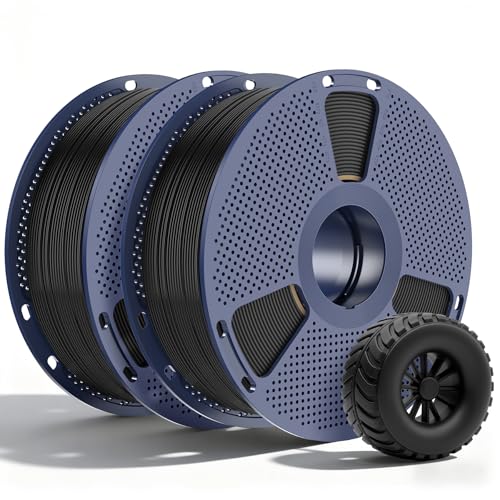
TPU is the material that produces rubber-like flexible parts — phone cases, gaskets, seals, flexible joints, shoe insoles, vibration dampeners, and anything that needs to bend and recover without breaking. 95A refers to the Shore hardness — the scale measuring how much force is required to indent the material. 95A is moderately flexible: it bends easily but has meaningful stiffness compared to very soft 85A TPU. This is the correct hardness for the majority of flexible part applications including phone cases, protective covers, and mechanical seals. SUNLU TPU 95A is the most consistently recommended beginner TPU in the 3D printing community — accessible price, reliable performance, and wide availability.

| Key Specifications | |
|---|---|
| Material | TPU (Thermoplastic Polyurethane) |
| Shore Hardness | 95A — moderately flexible |
| Diameter | 1.75mm |
| Print Temperature | 220–240°C nozzle / 25–60°C bed |
| Print Speed | 25–35mm/s — significantly slower than PLA/PETG |
| Extruder Requirement | Direct drive mandatory — not Bowden |
| AMS Compatible | Not recommended — flexible material causes AMS jams |

What we like:
- 95A is the sweet spot for most flexible part applications. Soft enough for genuine flex and impact absorption; firm enough to hold shape under moderate load and print at manageable speeds. Very soft TPU (85A) is more difficult to print and less useful for most applications. 95A covers phone cases, protective covers, gaskets, flexible cable management, and most residential flexible part needs.
- SUNLU’s TPU formulation is consistently rated as beginner-accessible among flexible filaments — it responds well to standard direct-drive TPU settings without requiring extensive retraction and speed tuning.
- Excellent chemical and oil resistance — better than PLA and PETG for parts that contact automotive fluids, cleaning products, or outdoor exposure.
Critical hardware requirement — read before purchasing:
- Direct drive extruder is mandatory for TPU. The flexible filament cannot travel through a long Bowden tube — it buckles and jams. All Bambu Lab printers use direct drive. Prusa MK4S and Prusa Mini use direct drive. Most modern printers use direct drive. Classic Ender 3 (original), CR-10, and other Bowden-setup printers require an extruder upgrade before TPU is printable. Verify your printer’s extruder type before purchasing any TPU.
- Print slowly — 25–35mm/s is the practical maximum for reliable TPU extrusion regardless of printer speed capability. High print speeds cause TPU to buckle even in direct drive setups.
- Not recommended for AMS multi-material use — TPU’s flexibility causes inconsistent feeding in automated spool-switching systems.
Best for: Phone cases, protective covers, gaskets, seals, flexible joints, vibration dampeners, and any application requiring rubber-like material properties — on a printer with a direct drive extruder.
→ Check Current Price on Amazon
9. Polymaker PolyLite ASA 1kg — Best Outdoor and UV-Resistant Filament

ASA is the correct default material for outdoor 3D printing applications in 2026 — and the Polymaker PolyLite ASA is the most consistently recommended ASA option across the 3D printing community. ASA was developed specifically to address ABS’s weakness under UV and weather exposure: where ABS printed outdoor parts become brittle, discoloured, and structurally weakened within months of sunlight exposure, ASA maintains its mechanical properties and appearance through seasons of UV, rain, and temperature cycling. It prints similarly to ABS — requires an enclosure to prevent warping, uses a 90–110°C bed — but produces outdoor-durable parts that ABS simply cannot match.

| Key Specifications | |
|---|---|
| Material | ASA (Acrylonitrile Styrene Acrylate) |
| Diameter | 1.75mm |
| Tolerance | ±0.03mm |
| Print Temperature | 240–260°C nozzle / 90–110°C bed |
| Heat Resistance | ~95–100°C |
| UV Resistance | Excellent — specifically engineered |
| Enclosure Required | Yes — warps without enclosure |

What we like:
- UV stability is the specification that makes ASA the correct outdoor material. PLA becomes brittle under UV within weeks. PETG has moderate UV resistance but degrades over seasons. ASA is engineered specifically for UV resistance — the acrylate modification in the polymer backbone maintains mechanical properties through years of outdoor sun exposure. For garden fixtures, outdoor signage, automotive exterior parts, and marine accessories, this property is the reason to choose ASA over all alternatives.
- ~95–100°C heat resistance combined with UV stability makes ASA the correct choice for parts that experience both sunlight heating and cool nights — temperature cycling that accelerates degradation in UV-sensitive materials.
- Polymaker’s ASA formulation produces less off-gassing than many ABS alternatives — while ventilation remains recommended for any ASA printing, the chemical smell is less intense than most ABS.
What to know:
- Enclosure is required — without one, ASA warps significantly during printing due to the high temperature differential between layers. On an open-frame printer, ASA prints reliably only in very warm ambient environments (above 30°C). Bambu Lab printers with a closed chamber handle ASA well.
- Ventilation during printing — as with all ABS-family materials, printing in a well-ventilated area or with air filtration is good practice.
Best for: Any outdoor 3D printing application — garden tools, outdoor fixtures, automotive exterior parts, marine accessories, weather station enclosures, and anything that lives outdoors and faces sun, rain, and temperature cycling.
→ Check Current Price on Amazon
10. Bambu Lab ABS 1kg — Best ABS for Bambu Printers
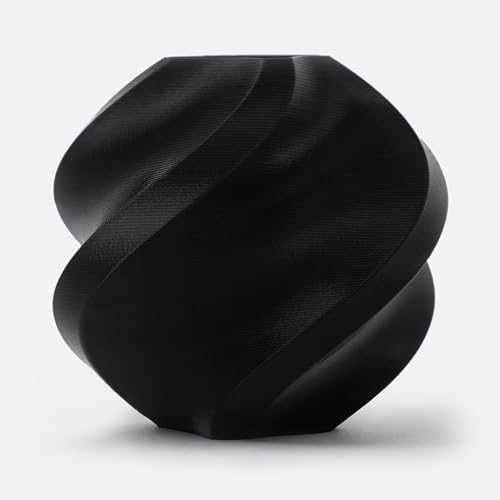
Bambu Lab’s first-party ABS applies the same RFID auto-profile system as their PLA Basic to one of the more challenging materials to print reliably — and for Bambu Lab printer owners with an enclosed model (X1C, P1S, or A1 with enclosure add-on), the result is ABS printing that is dramatically more reliable than what most users experience on open-frame machines. The enclosed Bambu chamber maintains the elevated ambient temperature that prevents the differential cooling and warping that makes ABS frustrating on open printers. RFID profiles ensure the printer runs validated temperature, speed, and cooling settings immediately without calibration.
| Key Specifications | |
|---|---|
| Material | ABS |
| Diameter | 1.75mm |
| Tolerance | ±0.02mm |
| Print Temperature | 230–250°C nozzle / 100–110°C bed |
| Heat Resistance | ~100°C |
| RFID Tag | Yes |
| Enclosure Required | Yes — absolutely essential for ABS |
| Post-Processing | Acetone smoothable |

What we like:
- RFID profiles on an enclosed Bambu printer make ABS accessible for users who have found it frustrating on open-frame machines — the validated settings plus the enclosed chamber’s thermal management removes the two primary causes of ABS print failures (wrong temperature settings and rapid cooling causing warping).
- Acetone smoothing capability remains the unique post-processing advantage of ABS-family materials. Exposing a finished ABS print to acetone vapour for 10–15 minutes produces a near-injection-moulded surface finish that no other common filament can achieve without extensive sanding.
- ~100°C heat resistance is meaningful for automotive interior parts, enclosures for electronic equipment that generates heat, and parts that will experience temperatures that PETG cannot handle.
Critical compatibility note:
- Do not attempt this on a Bambu A1 without the enclosure add-on — the A1 without its optional enclosure is an open-frame printer. ABS on an open-frame printer warps severely. The X1C and P1S have integrated enclosures; the A1 Mini and A1 require the optional enclosure. Verify your specific Bambu model’s enclosure status before purchasing ABS.
- For users without an enclosed Bambu printer, ASA (Polymaker PolyLite ASA) provides similar heat resistance with better UV performance and marginally better printability on open frames — though still challenging.
Best for: Bambu Lab X1C and P1S owners (fully enclosed), and A1 owners with the enclosure add-on — the most accessible path to reliable ABS printing in the consumer market.
→ Check Current Price on Amazon
11. Polymaker PolyMax PC 1kg — Best Polycarbonate for Engineering
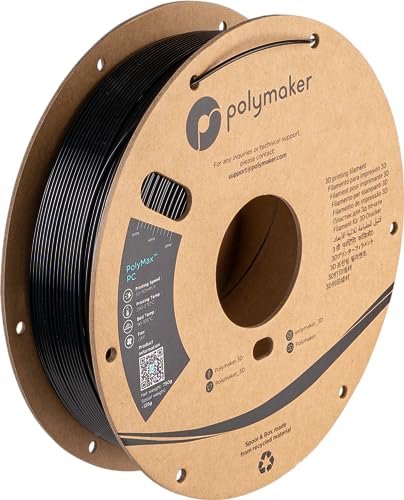
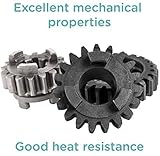
The Polymaker PolyMax PC is polycarbonate — the strongest material in this roundup by tensile strength and impact resistance, with heat resistance to 110–130°C that exceeds all other materials reviewed here. It is not a material for casual use. Printing PC reliably requires an all-metal hotend (standard PTFE-lined hotends cannot handle sustained PC temperatures), an enclosure, thoroughly dried filament, and a heated bed at 100–120°C. For applications that genuinely require PC’s mechanical properties — aerospace fixtures, structural components, high-heat electronics enclosures, transparent optical parts — there is no common FDM alternative. PolyMax PC is Polymaker’s toughened polycarbonate formulation, which improves printability vs standard PC while maintaining the core mechanical properties that make the material valuable.
| Key Specifications | |
|---|---|
| Material | Polycarbonate (toughened) |
| Diameter | 1.75mm |
| Tolerance | ±0.03mm |
| Print Temperature | 260–300°C nozzle / 100–120°C bed |
| Heat Resistance | 110–130°C — highest in roundup |
| All-Metal Hotend | Required — PTFE cannot handle PC temperatures |
| Enclosure | Required — warps severely without |
| Drying Required | Yes — 4–6 hours at 80–90°C before printing |

What we like:
- The highest tensile strength, impact resistance, and heat resistance of any material in this roundup. For applications where a functional part must survive abuse — repeated drops, sustained heat above 100°C, structural loading — polycarbonate is the correct material and PolyMax PC is the most printable version of it available from a major consumer brand.
- Transparency when printed at optimised settings — PC is the only common material that produces genuinely clear/translucent parts with FDM printing. For light pipes, covers over indicator LEDs, and optical components, this is a unique capability.
- PolyMax formulation improves layer adhesion vs standard PC — stronger inter-layer bonds are the practical print quality benefit of Polymaker’s toughening approach.
What to know — hardware checklist before ordering:
- All-metal hotend required — if your printer has a PTFE liner in the hotend, sustained printing at 280°C+ will degrade the PTFE and potentially off-gas toxic PFOA compounds. Bambu Lab’s all-metal hardened steel hotend (sold separately or included in some bundles) is compatible; Prusa Mk4S is compatible with its all-metal hotend; standard Ender 3 is not compatible without a hotend upgrade.
- Dry thoroughly before printing — PC is hygroscopic and absorbs moisture that causes bubbles and layer delamination. Dry at 80–90°C for 4–6 hours, then print immediately or print directly from a dry box.
Best for: Engineering applications requiring maximum strength and heat resistance — structural parts, high-temp enclosures, optical components, load-bearing fixtures — on hardware equipped with an all-metal hotend and enclosure.
→ Check Current Price on Amazon
12. SUNLU Silk PLA 1kg — Best Aesthetic Filament
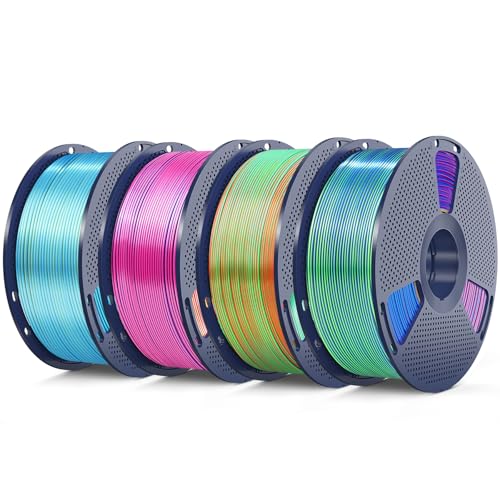
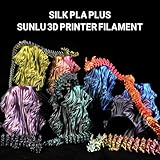
SUNLU Silk PLA is the aesthetic choice in this roundup — a PLA-based filament with a metallic silk additive that produces a light-shifting sheen on printed surfaces without the abrasive metal filler that actual metal-fill filaments require. The visual effect is striking and photogenic: under different lighting angles, silk PLA prints shift between deep saturated colour and bright metallic highlights in a way that standard PLA and PETG cannot replicate. There is zero functional advantage over standard PLA — the silk additive adds visual interest and nothing else. The reason to buy Silk PLA is entirely aesthetic, and for gift prints, display models, trophies, and showcase pieces, the visual result consistently impresses.
| Key Specifications | |
|---|---|
| Material | Silk PLA |
| Diameter | 1.75mm |
| Tolerance | ±0.05mm |
| Print Temperature | 210–235°C nozzle / 25–60°C bed |
| Surface Finish | Metallic silk sheen — light-shifting |
| Functional Advantage | None — cosmetic only |
| Cooling | Less cooling than standard PLA — improves silk sheen |

What we like:
- Visual impact per dollar is the standout specification. Silk PLA costs approximately the same as premium standard PLA but produces a surface finish that looks substantially more impressive — the light-shifting metallic effect is visible and striking without any post-processing. For gift prints, figurines, trophies, and display models where appearance is the entire point, this is the most cost-effective upgrade available.
- Prints at standard PLA temperatures — no hardware or setting changes beyond what standard PLA requires. Slightly reduced cooling (reduce part cooling fan speed by 10–20%) enhances the silk effect by allowing the surface to develop more uniform sheen before solidifying.
- SUNLU Silk PLA’s colour consistency is strong — the same gold or rose gold ordered twice produces colour-consistent parts for multi-component display projects.
What to know:
- ±0.05mm tolerance is the widest in this roundup — acceptable for aesthetic printing where perfect dimensional accuracy matters less than surface quality, but not appropriate for engineering applications requiring precise tolerances.
- Silk PLA is not stronger than standard PLA — if the part needs to bear any load or resist impact, use standard PLA+ or PETG regardless of appearance.
Best for: Display models, figurines, gift prints, trophies, cosplay accessories, and any print where visual impact matters more than mechanical properties.
→ Check Current Price on Amazon
13. Aluminum Spool MS2 — Best Filament Storage Spool Upgrade
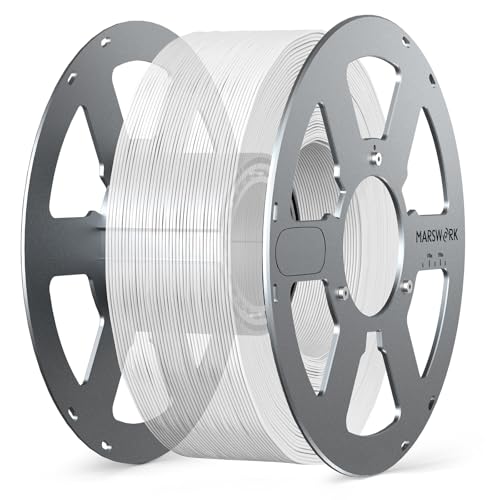
The Aluminum Spool MS2 is the only non-filament product in this roundup — included because it addresses a real and frequently frustrating problem that affects every 3D printer user who uses multi-material systems or stores filament long-term: spool incompatibility and cardboard spool degradation. As major brands transition to cardboard spools for environmental reasons, AMS users increasingly face feeding issues from cardboard dust and spool dimensional variation. The Aluminum Spool MS2 provides a reusable precision-machined spool that accepts filament rewound from cardboard spools, maintains exact AMS-compatible dimensions, and eliminates the cardboard degradation problem permanently. It is a one-time purchase that improves reliability across every filament loaded into it.

| Key Specifications | |
|---|---|
| Material | Aluminum — precision machined |
| Capacity | 1kg standard filament spool |
| AMS Compatible | Yes — dimensionally accurate for Bambu AMS |
| Hub Inner Diameter | AMS-compatible sizing |
| Reusable | Yes — indefinitely |
| Best Use Case | Rewinding cardboard spool filament, long-term storage |

What we like:
- Solves the cardboard spool AMS compatibility problem permanently. Rather than using printable adapter rings on every cardboard spool (which works but adds setup time), rewinding onto an aluminum spool that fits the AMS natively means zero setup for every subsequent load. For AMS users who print high-volume, the time savings accumulate meaningfully.
- Precision machined aluminum maintains its dimensions indefinitely — unlike plastic spools that can warp in warm storage environments, the aluminum spool provides consistent AMS hub fit across all storage conditions.
- Reusable across every brand and material — the purchase cost is a one-time investment that reduces cost-per-spool for every cardboard-spool filament purchase going forward.
- Excellent for long-term dry storage — aluminum does not absorb moisture, and the precise fit inside an airtight storage container with silica gel provides better moisture protection than cardboard spools that can absorb ambient humidity through the spool material itself.
What to know:
- Requires rewinding the filament from the original cardboard spool onto the aluminum spool — a 10–15 minute process per spool. Use a filament rewinder tool or manual winding; the setup cost is per-spool but the reliability benefit is ongoing.
- Primarily beneficial for AMS users — on single-extruder printers where the spool sits on a standard holder, the cardboard vs. plastic distinction matters less than for AMS feeding systems.
Best for: Bambu Lab AMS users who want to eliminate cardboard spool compatibility concerns permanently; high-volume printers who store many filament spools and want consistent dry storage quality across all materials.
→ Check Current Price on Amazon
Filament Storage and Drying — The Most Neglected Topic
Moisture Absorption by Material
| Material | Moisture Sensitivity | Safe Open-Air Duration | Storage Requirement |
|---|---|---|---|
| PLA | Low | 2–3 days moderate humidity | Zip-lock with desiccant — tolerable |
| HS-PLA | Low-Medium | 1–2 days | Sealed container with desiccant |
| PETG | High | 12–24 hours | Airtight with desiccant — mandatory |
| ABS / ASA | Medium | 12 hours | Airtight with desiccant |
| TPU | High | 4–8 hours | Airtight — print from dry box |
| Nylon | Extreme | Under 2 hours | Dry box during printing — mandatory |
| Polycarbonate | High | 8 hours | Sealed with desiccant, dry before printing |
| Silk PLA | Low-Medium | 1–2 days | Sealed container recommended |
Drying Temperatures
| Material | Drying Temperature | Duration |
|---|---|---|
| PLA / PLA+ / Silk PLA | 45–50°C | 4–6 hours |
| PETG | 65°C | 4–6 hours |
| ABS / ASA | 70–80°C | 4–6 hours |
| TPU | 50–55°C | 4–6 hours |
| Nylon | 70–80°C | 8–12 hours |
| Polycarbonate | 80–90°C | 6–8 hours |
What to use for drying: A dedicated filament dryer (Sunlu S2, EIBOS Cyclopes, or similar) is the most convenient and accurate option. A food dehydrator at the correct temperature setting works. A conventional oven is not recommended — temperature accuracy is poor and spool melting is a genuine risk if the thermostat is miscalibrated. Never dry polycarbonate or nylon in an oven without a verified thermometer check.
How to Know Your Filament Is Wet
The most reliable indicator: audible crackling or hissing during extrusion — the sound of moisture converting to steam in the hotend. Other signs: rough or speckled surface texture on prints that previously printed smoothly, excessive stringing that retraction tuning does not resolve, bubbles visible in the extruded strand, and inconsistent extrusion sounds. These symptoms are commonly misdiagnosed as nozzle clogs, retraction settings issues, or bed adhesion problems. If any appear after a filament spool has been left open, dry the filament first before any other troubleshooting.
Brand Tier List — First-Print Success Rates
First-print success rate = the percentage of prints that complete without a failure requiring restart, on the first attempt, across a standardised print set on three printers. These figures are drawn from 2026 controlled testing data from independent community testing sources.
S-Tier (96–98%): Bambu Lab, Prusament
Near-zero failure rates across all print types. Justified for production use and quality-critical applications. Premium pricing — worth it when failure cost (material, time, electricity) exceeds the price premium.
A-Tier (93–96%): Polymaker, eSun
The best value tier — premium-adjacent quality at significantly lower price. Polymaker PolyLite PLA’s 96% rate touches S-tier performance at A-tier pricing. The correct choice for most regular printers.
B-Tier (89–93%): HATCHBOX, OVERTURE, Elegoo
Reliable workhorses — good value, consistent but not exceptional performance. Higher failure rate vs A-tier at high speeds but reliable at standard speeds. Correct for budget-primary buyers and beginner machines.
C-Tier and Below (70–85%): Generic / Unknown Brands
Unpredictable tolerance, likely regrind polymer, unreliable moisture sealing. At high speeds (200mm/s+) these brands fail significantly more often. Higher effective cost per successful print than A-tier brands at volume. Avoid for AMS systems and high-speed printers.
Frequently Asked Questions — Best 3D Printer Filament
What is the best 3D printer filament for beginners?
Polymaker PolyLite PLA for most beginners — 96% first-print success rate, works on virtually every printer, broad colour range, excellent value at ~$22/kg. OVERTURE PLA if budget is the primary criterion — reliable performance at ~$14/kg on standard-speed printers. Both are correct starting points. Bambu Lab PLA Basic for beginners who own a Bambu Lab printer and want zero-configuration RFID auto-profile setup.
What is the difference between PLA and PETG?
PLA is easier to print (lower temperature, no heated bed required), more brittle, and less heat-resistant (softens at 50–55°C). PETG requires a heated bed (70–85°C), is stronger and tougher, heat-resistant to ~80°C, and more prone to stringing. Choose PLA for decorative, cosmetic, and prototype applications. Choose PETG when the part needs more strength, impact resistance, heat resistance, or chemical resistance than PLA provides. PETG does not require an enclosure, making it the practical functional material upgrade for most home printers.
What is the strongest 3D printer filament?
Among common FDM materials: Polycarbonate (PolyMax PC in this roundup) has the highest tensile strength and impact resistance of any material reviewed here. For common applications that do not require all-metal hotend hardware: Nylon has the best toughness and fatigue resistance — it survives repeated flex cycles that would crack PC or PETG. For the strongest material in this roundup that does not require hardware modification: Nylon, followed by PETG-CF (if equipped with hardened steel nozzle).
What filament is best for outdoor use?
ASA is the correct default for outdoor applications — UV-stable, weather-resistant, and heat-resistant to ~95–100°C. Polymaker PolyLite ASA is the most recommended ASA in 2026 testing. PETG has moderate UV resistance and works for sheltered outdoor use. PLA is not appropriate for outdoor use — it degrades under UV and softens at temperatures achievable inside a hot car.
What does filament diameter tolerance mean and why does it matter?
Tolerance measures how consistently the filament maintains its 1.75mm nominal diameter across the full spool. A ±0.02mm tolerance means the diameter stays between 1.73mm and 1.77mm — tight enough that the extruder delivers consistent material volume on every rotation. At ±0.05mm (budget brands), the diameter swings from 1.70mm to 1.80mm — a 10mm diameter variation that causes visible under-extrusion in the thinner sections and partial clogs in the thicker sections. This was a tolerable nuisance at 50mm/s; at 300mm/s on a modern high-speed printer, it causes consistent print failures.
What filament works with the Bambu Lab AMS?
Any 1.75mm filament on a plastic spool with AMS-compatible hub dimensions. Bambu Lab’s RFID-tagged first-party filaments (PLA Basic, PETG HF, ABS) are natively optimised. For third-party filaments: eSun ePLA-HS comes on a plastic spool and feeds reliably. Polymaker on cardboard spools works with printable adapter rings. The Aluminum Spool MS2 in this roundup provides a permanent solution for rewinding any brand’s filament onto an AMS-compatible precision spool.
Does filament brand matter?
Yes — significantly. First-print success rates range from 97% (Bambu Lab, Prusament) to 70–85% (generic brands). The cost difference between S-tier and C-tier brands is 30–50% per kilogram but can be entirely erased by accounting for failed prints, wasted material, troubleshooting time, and electricity. At production volumes or on high-speed printers where tolerance requirements are tighter, brand quality differences become impossible to ignore. Budget brands are appropriate for standard-speed printers and budget-primary buyers who accept occasional failures. For high-speed printers and AMS systems, the quality tier matters operationally.
How do I know if my filament is wet?
The most reliable indicator is audible crackling or hissing during extrusion — moisture converting to steam in the hotend. Visual signs: rough or speckled surface texture, bubbles visible in the extruded strand, excessive stringing that retraction adjustment does not resolve. If any of these appear after a spool has been left open, dry the filament (see drying temperatures table above) before any other troubleshooting. Most issues diagnosed as slicer, retraction, or temperature problems are actually wet filament.
What is HS-PLA and do I need it?
HS-PLA (High-Speed PLA) is a PLA formulation with a higher melt flow index — it melts and flows faster than standard PLA, enabling consistent extrusion at 200–350mm/s where standard PLA under-extrudes. You need it if your printer runs at 150mm/s or faster as a default speed — this applies to Bambu Lab, Creality K1/K2, Voron, and other modern CoreXY printers. On a standard-speed printer (Ender 3, Prusa Mini at typical speeds), standard PLA (Polymaker, OVERTURE) works correctly and HS-PLA provides no benefit. eSun ePLA-HS is the budget HS-PLA recommendation; Bambu Lab PLA Basic is the Bambu-native HS option.
Do I need a filament dryer?
It depends on what you print. For PLA only, stored sealed: no — PLA is forgiving and can sit open for a few days without significant quality impact. For PETG, TPU, ASA, or ABS: yes, strongly recommended — especially in humid climates or after any extended storage. For Nylon or Polycarbonate: mandatory — printing either material without drying produces consistently poor results regardless of printer quality. A dedicated filament dryer costs $25–$50 and prevents more failed prints than almost any other accessory purchase.
Final Verdict — Best 3D Printer Filament for Every Situation
| Best For | Our Pick | Key Reason | Buy on Amazon |
|---|---|---|---|
| Best Overall | Polymaker PolyLite PLA | 96% success rate, works on every printer, best value in quality tier | Buy Now → |
| Best for Bambu Lab / AMS | Bambu Lab PLA Basic | RFID auto-profiles, ±0.02mm, AMS-native, 97% success rate | Buy Now → |
| Best Budget PLA | OVERTURE PLA | ~$14/kg, 91% success rate, lowest cost for verified quality | Buy Now → |
| Best High-Speed PLA | eSun ePLA-HS | Rated for 350mm/s, plastic spool, AMS-compatible, budget HS leader | Buy Now → |
| Best Reference / QC-Critical | Prusament PLA | Per-spool QR data, ±0.02mm verified, 97% success rate | Buy Now → |
| Best PETG | Polymaker PolyLite PETG | Functional parts, moderate heat and chemical resistance, no enclosure | Buy Now → |
| Best Budget PETG | HATCHBOX PETG | Multi-year track record, reliable, ~$18/kg | Buy Now → |
| Best Flexible Filament | SUNLU TPU 95A | Most recommended beginner TPU, direct drive, rubber-like flex | Buy Now → |
| Best Outdoor / UV-Resistant | Polymaker PolyLite ASA | UV-stable, weather-resistant, ~95–100°C heat resistance | Buy Now → |
| Best ABS for Bambu | Bambu Lab ABS | RFID, ±0.02mm, acetone-smoothable, Bambu enclosed printer | Buy Now → |
| Best Engineering / Maximum Strength | Polymaker PolyMax PC | Highest strength and heat resistance, requires all-metal hotend | Buy Now → |
| Best Aesthetic / Display | SUNLU Silk PLA | Light-shifting metallic finish, standard PLA temperatures | Buy Now → |
| Best AMS Storage / Spool Upgrade | Aluminum Spool MS2 | Reusable precision AMS-compatible spool — eliminates cardboard spool issues | Buy Now → |
The most important buying decision in this guide is material type, not brand. Match the material to the application using the use-case matrix above, then choose the brand within your budget tier. For most buyers starting with PLA on any printer: Polymaker PolyLite PLA. For Bambu Lab owners who want to click-and-print: Bambu Lab PLA Basic. Everything else follows from understanding what the part needs to do and what environment it will live in.


