

Table of Contents
- Introduction
- FDM vs. Resin: The Decision That Changes Everything
- Print Speed Reality: What the Numbers Actually Mean
- CoreXY vs. Cartesian: Plain English Explanation
- Bed Leveling: The #1 Beginner Failure Point
- Quick Comparison Table
- Top 10 3D Printers — In-Depth Reviews
- What to Actually Make: Home & Workshop Use Cases
- Filament Guide: What Material for What Job
- Safety & Ventilation: What the Listings Don’t Tell You
- Multi-Color Reality Check
- Open-Source vs. Proprietary Ecosystem
- Essential Accessories
- Buying Guide Checklist
- FAQ
- Conclusion
Why 2026 Is the Best Time Ever to Buy a Home 3D Printer
The first time you hold a custom-printed part in your hand – a replacement car interior clip you designed in 30 minutes and printed overnight, a workshop jig that turns a fiddly 10-minute task into 20 seconds, a cable holder perfectly sized for the exact bolt pattern in your garage – something shifts. The 3D printer stops being a novelty and becomes infrastructure. It earns a permanent spot on the workbench the same way the drill did.
That shift is happening in garages and home workshops everywhere right now, because the machines have finally caught up to the promise. The best 3D printer for home and workshop use in 2026 is not the finicky, constantly-tweaking device of 2018. Auto mesh bed leveling, CoreXY motion systems, enclosed heated chambers, built-in AI failure detection, and multi-filament color systems are now available at prices that made no sense three years ago. A machine that prints a benchmark boat in 15 minutes at quality settings costs less than a decent impact driver.
Two decisions drive everything in this category: FDM vs. resin (which technology matches the work you actually want to do) and open vs. enclosed (which determines what materials you can reliably use in a home or garage environment). Get those right and the specific model choice becomes straightforward.
Our top pick for most home users is the Bambu Lab A1 Mini Combo – genuinely plug-and-print setup, multi-color capability from day one, and print speeds that make every previous machine feel slow. For the fastest budget single-filament machine, the ELEGOO Centauri Carbon is remarkable for the price. For the garage workshop user who needs enclosed heated-chamber printing for engineering filaments, the QIDI Q2 is the machine built specifically for that environment.
FDM vs. Resin: The Decision That Changes Everything

This is not a minor spec difference — FDM and resin are fundamentally different technologies that suit different types of work. Choosing the wrong one for your intended use is the most common expensive mistake in this category.
FDM (Fused Deposition Modeling) – Filament Printing
FDM printers melt a thermoplastic filament through a heated nozzle and deposit it layer by layer onto a build plate. The dominant home and workshop technology by a wide margin — simpler to operate, cheaper to run per print, and available in materials ranging from safe plant-derived PLA to engineering-grade carbon fiber nylon. Best for: functional replacement parts, large prints, workshop tooling jigs, custom brackets, cable management, mechanical assemblies, and anything structural. Layer lines are visible on FDM prints but can be reduced significantly with finer settings.
Resin (MSLA/DLP) – Liquid Resin Printing
Resin printers cure liquid photopolymer resin using a UV LCD screen, building extraordinarily fine-detail layers. The surface quality is in a completely different league from FDM — miniature figures show individual facial features, jewelry masters show clean edges at sub-0.05mm detail. Best for: gaming miniatures, D&D figures, jewelry casting masters, dental models, display figurines. The trade-offs are significant: resin is chemically hazardous (requires gloves, respirator, ventilation), the process is messier (requires IPA washing and UV curing), and build volumes are smaller than FDM machines at equivalent prices.
| Factor | FDM | Resin |
|---|---|---|
| Best use case | Functional parts, large prints, workshop tooling | High-detail miniatures, jewelry, display models |
| Material cost | $15–$30/kg filament | $25–$60/liter resin |
| Post-processing | Minimal — remove supports, light sanding | Wash in IPA, UV cure, careful support removal |
| Chemical safety | PLA is safe; ABS/ASA need ventilation | Always requires gloves, respirator, ventilation |
| Pet safety | PLA safe; ABS caution | Resin vapors toxic to birds & small animals |
| Max build volume | Up to 420×420×480mm at home prices | Typically 150–300mm max at comparable prices |
| Beginner friendly | Yes — especially with auto-leveling | Moderate — requires chemical handling |
Print Speed Reality: What the Numbers Actually Mean
Almost every 3D printer listing leads with a peak speed claim — “500mm/s,” “600mm/s,” even “800mm/s.” These numbers are technically accurate and practically close to meaningless for understanding how long your actual prints will take.
Marketing print speed describes the theoretical maximum movement speed of the print head. Real-world print time is determined by acceleration profiles, travel moves between features, layer height, infill percentage, and support structures — not peak velocity. A printer that accelerates to 600mm/s over a 15mm travel barely reaches maximum speed before decelerating again. Real average speed on a typical part is often 150–250mm/s regardless of claimed maximum.
Layer height has far more impact on print time than speed. Printing at 0.1mm layers takes three times longer than 0.3mm layers at identical head speed — because there are three times as many layers to deposit. Infill percentage compounds this: a hollow vase prints in 30 minutes; the same shape at 40% infill can take 90+ minutes.
The standard reference is the 3DBenchy tugboat — a 60×31×48mm test model printed at quality settings. Here’s what that looks like across the printers in this roundup:
| Printer | Claimed Speed | Approx. Benchy Time | Speed Class |
|---|---|---|---|
| Creality Ender 3 V3 SE | 250mm/s | ~55–70 min | Entry level |
| Anycubic Kobra 3 Max | 300mm/s | ~35–45 min | Mid-range |
| Bambu Lab A1 Mini Combo | 500mm/s | ~16–20 min | Fast |
| Bambu Lab P1S | 500mm/s | ~16–20 min | Fast |
| ELEGOO Centauri Carbon | 500mm/s | ~15–18 min | Fast |
| QIDI Q2 | 600mm/s | ~14–17 min | Very Fast |
| Creality K2 Pro Combo | 600mm/s | ~14–17 min | Very Fast |
CoreXY vs. Cartesian vs. Bed-Slinger: What It Actually Means for Your Prints
Every printer spec sheet lists a motion system type. No beginner article explains what this means in practice.
Bed-slinger (Cartesian): The print bed moves forward and backward (Y-axis) while the print head moves left-right (X) and up-down (Z). The classic, proven design used in the Creality Ender 3 series. Simple to build, easy to repair, and backed by the largest user community in 3D printing history. The limitation: at high speeds, the heavy moving bed shakes the print — particularly problematic on tall parts where the accumulated print mass gets bounced back and forth with every direction change. Reliable up to ~250mm/s; beyond that, print quality degrades.
CoreXY: Both X and Y movements are handled entirely by the print head — the bed only moves vertically (Z-axis) at the end of each layer. Since the print head is far lighter than a full print bed, it can accelerate and decelerate dramatically faster without introducing vibration into the print. This is the motion system used by Bambu Lab, ELEGOO Centauri Carbon, QIDI, and Creality K2 Pro — the machines that print at 500–600mm/s while maintaining excellent quality. CoreXY is more mechanically complex and slightly harder to self-maintain, but it’s the dominant architecture in all mid-range and premium home printers for good reason.
Delta: Three vertical towers with the print head suspended from three coordinated arms. Mathematically elegant but practically rare in current recommendations — calibration is complex, build volume shapes are cylindrical rather than rectangular, and the community support is smaller than CoreXY or Cartesian.
Bed Leveling: The #1 Beginner Failure Point
More first prints fail because of incorrect bed leveling than any other single cause. Understanding what bed leveling does — and why automatic mesh leveling is non-negotiable for home users — prevents the most common source of frustration in the first week of ownership.
Bed leveling ensures the print bed surface is precisely parallel to the print head’s movement plane at the exact height where the first layer must deposit. If the bed is too far from the nozzle, the first layer doesn’t adhere and the print comes loose mid-build. Too close, and the nozzle scrapes the bed surface and clogs. The margin for error is measured in tenths of a millimeter across a surface that may span 250mm or more.
Manual leveling: The user adjusts corner screws while testing with a paper feeler gauge. Accurate when done correctly, but requires patience, repeating frequently, and troubleshooting skill when it drifts. This is 2018 technology — avoid it on any new purchase.
Single-point automatic leveling: A proximity sensor measures one reference point and adjusts nozzle height. Better than manual, but only compensates for absolute height — not bed tilt or surface warping.
Automatic mesh leveling (multi-point probe): The printer probes 9–49+ points across the entire bed surface, generates a compensation mesh, and dynamically adjusts Z-height during printing to follow any warp or tilt in the surface. Failed first layers become rare events. Every printer in this roundup includes mesh leveling as standard.
Quick Comparison Table: Best 3D Printers for Home and Workshop
| # | Product | Type | Motion | Speed | Build Volume | Best For | Link |
|---|---|---|---|---|---|---|---|
| 1 | Bambu Lab A1 Mini Combo | FDM + AMS | CoreXY | 500mm/s | 180×180×180mm | Best all-round home printer | Amazon |
| 2 | ELEGOO Centauri Carbon | FDM | CoreXY | 500mm/s | 256×256×256mm | Best budget speed printer | Amazon |
| 3 | Bambu Lab P1S | FDM Enclosed | CoreXY | 500mm/s | 256×256×256mm | Best enclosed FDM | Amazon |
| 4 | Creality Ender 3 V3 SE | FDM | Cartesian | 250mm/s | 220×220×250mm | Best ultra-budget starter | Amazon |
| 5 | QIDI Q2 | FDM Enclosed | CoreXY | 600mm/s | 270×270×256mm | Best for workshop / engineering filaments | Amazon |
| 6 | Anycubic Kobra 3 Max Combo | FDM + Multi | CoreXY | 500mm/s | 420×420×450mm | Best large-format + multi-color | Amazon |
| 7 | Creality K2 Pro Combo | FDM + Multi | CoreXY | 600mm/s | 350×350×350mm | Best professional multi-color | Amazon |
| 8 | Elegoo Saturn 4 Ultra | Resin MSLA | N/A | 12K LCD | 218×123×260mm | Best resin detail printer | Amazon |
| 9 | Anycubic Photon Mono M7 | Resin MSLA | N/A | 12K LCD | 200×126×235mm | Best beginner resin printer | Amazon |
| 10 | UniFormation GK3 Ultra | Resin MSLA | N/A | 13.5″ 8K LCD | 293×165×300mm | Best large-format resin | Amazon |
Top 10 3D Printers for Home and Workshop — In-Depth Reviews

1. Bambu Lab A1 Mini Combo — Best All-Round Home 3D Printer

Type: FDM with AMS lite | Motion: CoreXY | Speed: 500mm/s | Build Volume: 180×180×180mm | Layer Resolution: 0.05–0.35mm | Bed Leveling: Full auto mesh | Enclosure: No | Multi-filament: Yes — AMS lite (4 colors) | Noise: ≤48 dB | Price Range: $$$
The Bambu Lab A1 Mini Combo is the machine that changed what beginner-friendly means in 3D printing. Previous “beginner” printers required learning bed leveling, firmware configuration, slicer tuning, and print failure diagnostics before producing a single good print. The A1 Mini Combo requires pressing a button. Full automatic calibration on first setup — including resonance compensation, flow rate calibration, and mesh bed leveling — completes in under 20 minutes. The first print is almost always successful. That’s genuinely rare in this category and worth paying for.

The included AMS lite multi-filament system manages four spools simultaneously, enabling color-change prints without user intervention. At 500mm/s with Bambu’s Micro Lidar automatic calibration and active flow rate compensation, the A1 Mini produces prints that consistently outperform machines costing twice as much at equivalent speeds. The 180×180×180mm build volume is the one limitation worth noting — smaller than most competitors at this price. For most home users printing practical parts, brackets, organizers, and hobby models, 180mm in any direction is sufficient. For cosplay props, large display pieces, or full-scale automotive components, this machine requires splitting prints. Noise at ≤48 dB is among the quietest in the category — suitable for a bedroom or living space without disruption.

What you can realistically print: Cable management clips and holders, replacement home hardware, custom organizers, hobby and gaming models in up to 4 colors, children’s toys and educational pieces, custom phone accessories, workshop small parts. Anything under 180mm in all dimensions that doesn’t require ABS or engineering-grade materials.
Filament compatibility: PLA, PETG, TPU, PLA-CF. Not suitable for ABS or ASA (no enclosure — temperature sensitivity causes warping).
Workshop/home fit: Ideal for home desktop, bedroom workshop, or attached garage with stable temperature. Quiet enough for any shared living space. Not for cold unheated garages — PLA warps below approximately 15°C ambient temperature.
Pros:
- Plug-and-print setup — full auto calibration in under 20 minutes; first print almost always succeeds
- AMS lite 4-color multi-filament system included — multi-color from day one
- ≤48 dB — quietest machine in this roundup; suitable for shared living spaces
- Active flow rate compensation and AI monitoring prevent most print failures automatically
- Bambu Studio slicer is the most beginner-friendly software in the category
Cons:
- 180×180×180mm build volume — smallest in the FDM roundup; large prints require splitting
- Proprietary ecosystem — Bambu AMS, firmware, and repair parts are brand-locked
- No enclosure — PLA and PETG only; not suitable for ABS, ASA, or engineering filaments
Best For: First-time 3D printer buyers who want multi-color capability and reliable results from day one without any learning curve — the closest thing to a plug-and-play 3D printer currently available.
2. ELEGOO Centauri Carbon — Best Budget High-Speed FDM Printer
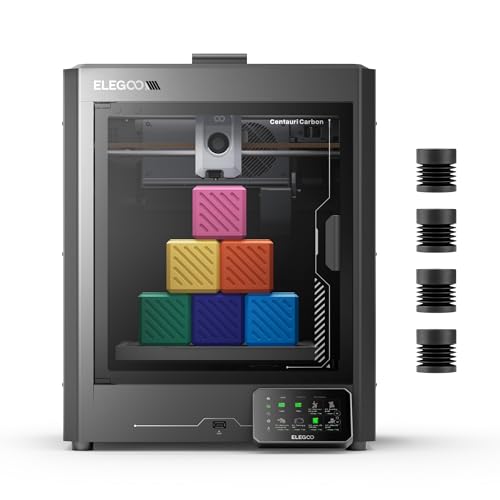
Type: FDM | Motion: CoreXY | Speed: 500mm/s | Build Volume: 256×256×256mm | Nozzle Temp: Up to 320°C | Bed Leveling: Auto calibration | Enclosure: No | Camera: Built-in | Price Range: $$
The ELEGOO Centauri Carbon achieves something that feels implausible at its price point: CoreXY motion at 500mm/s, a 256×256×256mm build volume, built-in monitoring camera, and auto calibration — all in a machine that costs significantly less than the Bambu Lab A1 Mini Combo. ELEGOO has established itself as the most capable budget-tier 3D printer brand in the market, and the Centauri Carbon is the machine that represents their current high-water mark for FDM performance per dollar. Ready to print out of the box with minimal setup, it targets buyers who want genuine fast printing performance without the Bambu Lab price premium.

The 320°C maximum nozzle temperature extends compatibility beyond standard PLA and PETG to include some engineering filaments — a meaningful specification advantage over many machines at this price tier. The built-in camera enables remote monitoring during long prints, catching failures before they waste hours of material. The 256mm build volume in all three dimensions is a practical workspace — large enough for most single-session home workshop parts without requiring print splitting. The auto calibration system handles mesh bed leveling automatically before each print. As a single-filament machine, it doesn’t offer the multi-color capability of the Bambu Combo, but for users whose primary goal is reliable, fast single-material printing at the lowest possible entry cost, the Centauri Carbon is the current benchmark.

What you can realistically print: Workshop replacement parts, functional mechanical components, large brackets and holders, prototyping, cosplay elements up to 256mm, educational and hobby models. Single-color only without a separate multi-filament system.
Filament compatibility: PLA, PLA+, PETG, ABS (with enclosure addition), TPU, and some higher-temp engineering filaments thanks to 320°C nozzle. Not fully optimized for ABS without enclosure.
Workshop/home fit: Compact enough for a desk or garage shelf. Open frame means ambient temperature affects print quality for temperature-sensitive materials. Best in climate-controlled space for ABS/ASA work.
Pros:
- CoreXY at 500mm/s for significantly less than Bambu Lab — the best speed-per-dollar FDM machine currently available
- 256×256×256mm build volume — 40% more volume than Bambu A1 Mini in each dimension
- 320°C nozzle temperature — broader material compatibility than most budget machines
- Built-in camera for remote monitoring and failure detection
- Out-of-the-box ready with auto calibration — minimal setup required
Cons:
- Single filament only — no multi-color without separate accessory purchase
- Open frame limits ABS/ASA performance without aftermarket enclosure
- ELEGOO’s slicer and ecosystem are less polished than Bambu’s Bambu Studio
Best For: Budget-conscious buyers who want the fastest possible single-filament FDM machine for home workshop use, and don’t need multi-color printing or ABS/engineering filament capability.
3. Bambu Lab P1S — Best Enclosed FDM Printer for Home and Workshop

Type: FDM Fully Enclosed | Motion: CoreXY | Speed: 500mm/s | Build Volume: 256×256×256mm | Nozzle Temp: Up to 300°C | Chamber Temp: Passively heated by hotend | Bed Leveling: Full auto with Micro Lidar | Enclosure: Yes — fully sealed | Multi-filament: AMS compatible (sold separately) | Price Range: $$$$
The Bambu Lab P1S is what you buy when you need both Bambu’s legendary ease of use and the ability to print engineering-grade filaments that an open-frame machine simply cannot handle reliably. The fully sealed enclosure maintains a stable thermal environment during printing — critical for ABS and ASA, which warp dramatically when exposed to ambient temperature drafts, and for PA (nylon) and PC (polycarbonate) filaments that require sustained elevated chamber temperatures to bond correctly. The P1S supports up to 16 colors when paired with the AMS unit (sold separately), making it the most versatile single machine in the home FDM category.

Beyond the enclosure, the P1S uses the same Micro Lidar automatic calibration system as the A1 Mini — probing the print surface before each job for guaranteed first-layer adhesion. Active flow rate compensation adjusts extrusion dynamically during printing to maintain dimensional accuracy as filament properties change with temperature variation. The built-in HEPA filter with activated carbon captures VOCs and particulates during ABS/ASA printing — meaningful for home use where you don’t want to vent the enclosure externally. At 500mm/s, print times match the A1 Mini. At $599–$699, this is a significant investment — but for any user who needs ABS, ASA, or composite filaments in a home or garage workshop, the P1S is the correct machine at this price tier.

What you can realistically print: Everything the A1 Mini prints, plus: automotive interior replacement clips in ABS, outdoor-rated enclosures and brackets in ASA, flexible gaskets and dampeners in TPU, engineering-grade structural parts in PA-CF and PETG-CF, and complex multi-color prints with AMS.
Filament compatibility: PLA, PETG, ABS, ASA, TPU, PA (nylon), PA-CF, PETG-CF, PLA-CF, PC — the broadest material compatibility of any home-class machine in this roundup.
Workshop/home fit: The sealed enclosure and built-in air filtration make this suitable for use in shared spaces with ABS/ASA — something an open-frame machine cannot offer. The quiet operation (≤45 dB) is among the quietest enclosed machines available.
Pros:
- Fully sealed enclosure with HEPA + activated carbon filtration — ABS/ASA safe for home use
- Broadest material compatibility of any home FDM machine: PLA through PC and CF composites
- Bambu Micro Lidar calibration — first-layer reliability matches or exceeds all competitors
- AMS compatible for up to 16-color multi-material printing
- ≤45 dB operation — quiet enough for any home environment
Cons:
- Highest FDM price point in the roundup — significant investment for home use
- 256×256×256mm build volume is standard size — not a large-format machine
- Bambu proprietary ecosystem — AMS, firmware, and critical parts are brand-locked
Best For: Home and garage workshop users who need to print engineering-grade materials (ABS, ASA, nylon, carbon fiber composites) reliably in a home environment, and want Bambu’s calibration quality and ease of use at the premium tier.
4. Creality Ender 3 V3 SE — Best Ultra-Budget Starter Printer

Type: FDM | Motion: Cartesian (bed-slinger) | Speed: 250mm/s | Build Volume: 220×220×250mm | Leveling: CR Touch auto-leveling + dual Z-axis | Extruder: Direct drive | Enclosure: No | Community: Largest in 3D printing | Price Range: $
The Creality Ender 3 series is the most widely owned 3D printer platform in history, and the V3 SE is the current evolution that adds automatic bed leveling, a direct drive extruder, and meaningful speed improvements over the original design. At its price point, it’s the correct choice for buyers who want to learn how 3D printing actually works — the Ender 3 community is so large that virtually any problem you encounter has a YouTube tutorial, Reddit thread, and documented fix within minutes of searching. Upgrade paths, replacement parts from dozens of suppliers, Klipper firmware support, and open-source modification options make this the most repairable, most upgradeable machine in the roundup.

At 250mm/s, the V3 SE is not a fast machine by modern standards — the Bambu A1 Mini completes prints the V3 SE takes an hour on in approximately 20 minutes. That speed trade-off buys you the lowest entry cost, the most repairability, and the deepest community knowledge base. The CR Touch automatic leveling probe handles mesh compensation reliably. The direct drive extruder improves flexible filament handling over older Bowden-tube Ender 3 variants. The 220×220×250mm build volume is standard for the class. This is not the machine for someone who wants prints fast and consistent from day one. It is the machine for someone who wants to understand the technology, customize it, and keep it running indefinitely with standard parts from any supplier.

What you can realistically print: All standard PLA/PETG workshop and hobby prints — replacement parts, organizers, brackets, miniatures, prototypes. TPU flexible parts with the direct drive extruder. Not optimized for ABS or engineering filaments without enclosure addition.
Filament compatibility: PLA, PLA+, PETG, TPU. ABS possible with careful setup but not recommended without enclosure.
Workshop/home fit: The most repairable machine in the roundup — in a workshop environment where dust, temperature variation, and occasional mechanical stress are factors, the ability to swap any part from standard suppliers is a meaningful long-term advantage.
Pros:
- Lowest price point in the roundup — the most accessible entry to 3D printing
- Largest user community in 3D printing history — solutions to every problem exist online
- All parts available from dozens of third-party suppliers — maximum repairability
- CR Touch auto-leveling and dual Z-axis for improved bed stability
- Open-source Klipper and Marlin firmware support — fully customizable
Cons:
- 250mm/s maximum speed — significantly slower than CoreXY competitors; long prints take much longer
- Bed-slinger motion reduces print quality on tall parts at higher speeds
- No multi-color capability without major modification
Best For: First-time buyers on the tightest budget who want to learn the technology deeply, or anyone who prioritizes maximum repairability and community support over speed and ease of use.
5. QIDI Q2 — Best 3D Printer for Garage Workshop Use
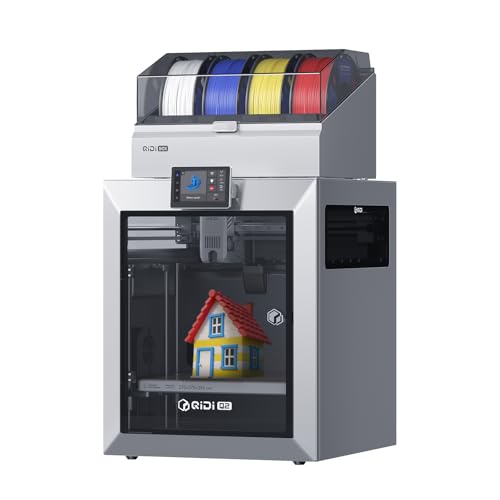
Type: FDM Fully Enclosed | Motion: CoreXY | Speed: 600mm/s | Build Volume: 270×270×256mm | Chamber Temp: 65°C heated | Nozzle Temp: Up to 350°C | Air Filtration: Ultra filtration system | Leveling: Full auto mesh | Price Range: $$$
The QIDI Q2 is the machine built specifically for the garage workshop user who wants to print engineering-grade filaments — ABS, ASA, PA (nylon), PA-CF, PC — that require sustained elevated temperatures throughout the print, not just at the hotend. While the Bambu P1S has a sealed enclosure that passively heats from the hotend, the QIDI Q2 actively heats its chamber to 65°C. For PA-CF and PC filaments that require 50–60°C ambient chamber temperatures to prevent delamination and layer separation on large parts, this active heating is the functional difference between consistent success and frequent failure. The 350°C maximum nozzle temperature exceeds even the Bambu P1S’s 300°C ceiling, enabling materials like high-temp PEEK composites that most home machines cannot process at all.

The QIDI Q2’s ultra air filtration system — active carbon plus HEPA — handles the VOCs produced by ABS and ASA at the source, making it genuinely suitable for use in attached garages or workshops without dedicated exhaust ventilation to the outside. At 600mm/s CoreXY, it’s the fastest enclosed machine in the roundup. The 270×270×256mm build volume is slightly larger than the Bambu P1S. QIDI’s software and calibration system require slightly more user setup than Bambu’s fully automatic approach, but the community support has grown substantially and most configuration is handled automatically. For a garage workshop where functional durability matters more than decorative color printing, the QIDI Q2 is the engineering-focused machine that the Bambu P1S can’t quite match on material range.

What you can realistically print: All standard filaments plus: automotive replacement brackets in ASA, structural workshop fixtures in PA-CF, heat-resistant components for engine bay use, waterproof outdoor enclosures, flexible gaskets and seals in TPU/TPE, and high-temperature industrial prototypes. The broadest functional material range of any machine in this roundup.
Filament compatibility: PLA, PETG, ABS, ASA, TPU, PA, PA-CF, PC, PETG-CF, PLA-CF, high-temp composites. The only machine in this list capable of reliably processing PC and PA at full specification.
Workshop/home fit: Designed for workshop environments. Active chamber heating, ultra filtration, and CoreXY high-speed operation make it the most capable single machine for a garage workshop that prints diverse materials. Not the quietest — plan for workshop-level noise during operation.
Pros:
- 65°C active heated chamber — enables reliable PA, PA-CF, and PC printing that passive enclosures cannot match
- 350°C nozzle temperature — broadest material compatibility of any machine in the roundup
- Ultra air filtration — ABS/ASA safe without external ventilation in workshop settings
- 600mm/s CoreXY speed — fastest enclosed machine in this comparison
- 270×270×256mm build volume — larger than Bambu P1S in X and Y dimensions
Cons:
- More setup and configuration required than Bambu Lab machines
- Active chamber heating adds print startup time — full temperature stabilization takes 10–15 minutes
- Heavier and larger footprint than A1 Mini or ELEGOO Centauri
Best For: Garage workshop users who need to print ABS, ASA, nylon, carbon fiber composites, and engineering-grade materials consistently — the machine built around workshop material requirements rather than decorative home printing.
6. Anycubic Kobra 3 Max Combo — Best Large-Format Multi-Color FDM Printer

Type: FDM + Multi-filament | Motion: CoreXY | Speed: 500mm/s | Build Volume: 420×420×450mm | Multi-filament: ACE system — 4 colors | Leveling: Auto mesh | Camera: AI built-in | Price Range: $$$
The Anycubic Kobra 3 Max Combo occupies a unique position in the home 3D printer market: the only machine in this roundup that combines large-format build volume (420×420×450mm) with a practical multi-filament color system. For cosplay builders, prop makers, large architectural models, and anyone whose projects consistently exceed the 250mm boundary of standard home printers, the Kobra 3 Max is the machine that eliminates splitting prints into segments and gluing them together. A 420×420mm base area accommodates full-face costume masks, large wall brackets, complete RC car body shells, and 1:1 scale replacement automotive panels in a single print run.
The ACE (Automatic Color Exchange) multi-filament system manages 4 filament spools with automatic color changes during printing. Anycubic’s implementation includes an AI monitoring camera that detects print failures, spaghetti events, and layer shifting — pausing the print and alerting the user rather than continuing to waste material. At 500mm/s CoreXY, even the large build volume doesn’t mean interminable print times — a large flat panel that might take 8 hours on a Cartesian machine completes in 3–4 hours. The Kobra 3 Max Combo represents the best value in the large-format multi-color category, undercutting the Creality K2 Pro Combo on price while offering a larger build plate.

What you can realistically print: Full-size cosplay helmets and armor pieces, large RC vehicle body shells, architectural scale models, full-size automotive interior panels, oversized workshop storage trays, complete jig systems for larger assemblies — anything that outgrows the 250mm boundary of standard machines.
Filament compatibility: PLA, PLA+, PETG, TPU. Open frame limits ABS/ASA reliability without enclosure addition.
Workshop/home fit: Requires significant bench or floor space — the 420×420mm footprint plus ACE spool holder is substantially larger than standard home printers. Best suited to a dedicated workshop space or large garage. Noise is within normal workshop range.
Pros:
- 420×420×450mm build volume — the largest FDM build area in this roundup by a significant margin
- ACE 4-color multi-filament system with automatic color changes
- AI camera failure detection — monitors and pauses prints automatically
- 500mm/s CoreXY — fast despite the large format
- Best price-to-volume ratio for large-format multi-color printing
Cons:
- Large physical footprint — requires dedicated workshop or garage space
- Open frame — ABS/ASA not reliable without enclosure addition
- 4-color ACE generates purge waste on multi-color prints
Best For: Cosplay builders, prop makers, RC hobbyists, and anyone whose projects consistently exceed the 250mm boundary of standard home printers and want multi-color capability in a large-format machine.
7. Creality K2 Pro Combo — Best Professional Multi-Color FDM System
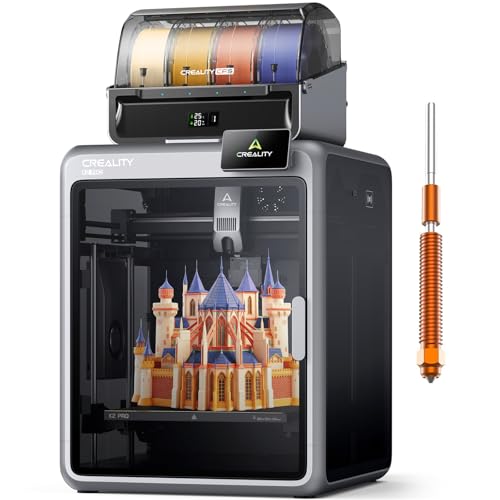
Type: FDM + Multi-filament | Motion: CoreXY | Speed: 600mm/s | Build Volume: 350×350×350mm | Multi-filament: CFS system — 4 colors (expandable) | Leveling: Auto mesh | Enclosure: No | Price Range: $$$$
The Creality K2 Pro Combo is a professional-grade multi-color FDM system that targets the top of the home and small-business 3D printing market. The combination of 600mm/s CoreXY motion, a 350×350×350mm build volume, and Creality’s CFS (Color Filament System) produces a machine that sits comfortably between the consumer tier (Bambu P1S) and full industrial systems — a workshop machine for serious production use. At 600mm/s with Creality’s K-series acceleration tuning, print speeds are among the fastest in any non-industrial enclosure at this price point. The 350mm cubed build volume handles nearly all workshop and creative applications without the compromises of smaller machines.
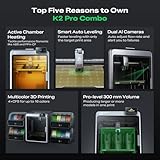
The CFS multi-filament system enables 4-color printing with expansion options for higher color counts. Creality’s Klipper-based firmware gives advanced users complete control over print parameters — acceleration, pressure advance, resonance compensation — while still offering simplified automatic modes for beginners. The open-source nature of the firmware and the extensive Creality community mean this machine has a much longer upgrade and modification lifespan than proprietary alternatives. For small businesses, professional makers, and workshop users who need repeatable high-quality multi-color output at speeds that make production-quantity printing viable, the K2 Pro Combo is the current best value at its tier.

What you can realistically print: Professional-quality multi-color prototypes, large workshop fixtures and jigs, production-quantity small parts, architectural models, large cosplay and prop pieces, commercial product prototypes. The 350mm volume handles nearly all professional application demands.
Filament compatibility: PLA, PETG, ABS (with enclosure addition), ASA, TPU, PA-CF (with high-temp setup). Open frame limits high-temp materials without additional enclosure.
Workshop/home fit: Best in a dedicated workshop or studio space. Large footprint with CFS system attached. Klipper firmware requires more user knowledge than Bambu Studio — plan for a learning curve on advanced settings.
Pros:
- 600mm/s CoreXY speed — among the fastest non-industrial machines available
- 350×350×350mm build volume — handles nearly all professional use cases
- Klipper-based firmware — full open-source control and extensive community modification support
- CFS expandable multi-color system — scalable beyond the base 4 colors
- Professional build quality that bridges home and light commercial use
Cons:
- Highest FDM price point in the roundup — a significant investment for home use
- No enclosure — ABS/ASA requires aftermarket enclosure for consistent results
- Klipper firmware learning curve for beginners
Best For: Professional makers, small business product designers, and advanced home workshop users who need production-speed multi-color printing at a volume that handles all professional applications — and want open-source firmware control.
8. Elegoo Saturn 4 Ultra — Best Resin 3D Printer for Home Workshop
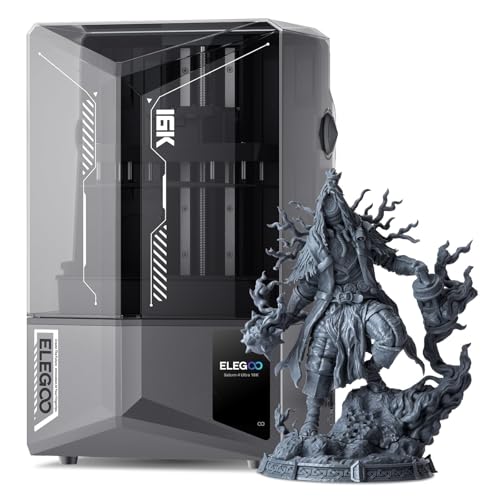
Type: Resin MSLA | Screen: 12K Mono LCD | Build Volume: 218×123×260mm | XY Resolution: 19×24 microns | Layer Thickness: 0.01–0.2mm | Light Source: Matrix UV LED | Leveling: Auto strain gauge | Price Range: $$$
The Elegoo Saturn 4 Ultra is what resin printing looks like when the technology is fully mature and priced for the home workshop. Its 12K monochrome LCD delivers an XY resolution of 19×24 microns — detail so fine that individual scales on a 28mm miniature lizard figure are visible and cleanly separated. Compared to FDM printing where layer lines are a constant trade-off, resin-printed surfaces at this resolution are smooth enough to cast from directly for jewelry masters or silicone mold making. For miniature painters, tabletop RPG players, model makers, and jewelry designers, this level of detail is transformative and unavailable from any FDM machine regardless of price.

The 218×123×260mm build volume is generous for a resin machine — accommodating full 30mm busts, large monster miniatures, and multiple small figures in a single batch print. Auto strain gauge bed leveling ensures the first layer adheres reliably without manual adjustment. The Matrix UV LED system delivers uniform curing across the full screen area — preventing the edge-detail degradation that affects cheaper single-LED resin printers. Resin printing requires a dedicated setup: nitrile gloves are essential, a wash-and-cure station is a required additional purchase, and the workspace needs active ventilation. For users who set up this workflow, the Saturn 4 Ultra is the current benchmark for home resin quality.

What you can realistically print: 28–75mm gaming miniatures with museum-quality detail, jewelry casting masters for lost-wax casting, dental models, display figurines and busts, scale model parts requiring tight tolerances, prototypes requiring smooth surface finish without post-processing.
Required additional purchases: Wash and cure station (Elegoo Mercury Plus or equivalent), nitrile gloves, respirator for resin handling, IPA or dedicated resin wash solution, UV resin (not included). Budget $60–$120 for the complete setup beyond the printer.
Workshop/home fit: Requires dedicated ventilated space — not suitable for shared living areas without carbon filter enclosure. Best in a garage workshop with good airflow. Do not use in spaces with birds or small animals.
Pros:
- 12K mono LCD at 19×24 micron XY resolution — the finest detail available at this price point
- 218×123×260mm build volume — generous for a resin machine; batch printing multiple miniatures efficiently
- Matrix UV LED ensures uniform curing across the full print area
- Auto strain gauge leveling — reliable first-layer adhesion without manual adjustment
- Elegoo’s broad resin compatibility and large user community
Cons:
- Requires significant additional investment in wash/cure station and safety equipment
- Chemical hazard — requires gloves, respirator, and dedicated ventilated workspace always
- Smaller build volume than any FDM machine at this price — large single-piece prints not possible
Best For: Miniature painters, tabletop RPG enthusiasts, jewelry makers, and anyone whose primary goal is maximum print detail and surface smoothness — not functional parts or large structural prints.
9. Anycubic Photon Mono M7 — Best Beginner Resin Printer
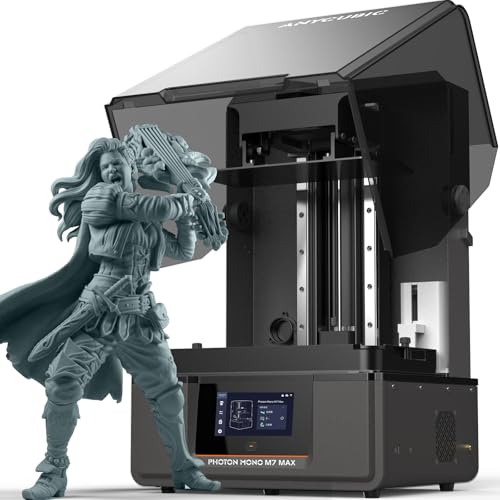
Type: Resin MSLA | Screen: 12K Mono LCD | Build Volume: 200×126×235mm | XY Resolution: 28×28 microns | Layer Thickness: 0.01–0.2mm | Connectivity: Wi-Fi + App monitoring | Special Feature: Auto resin refill detection | Price Range: $$
The Anycubic Photon Mono M7 is the resin printer that removes most of the intimidation from the first resin printing experience. At 12K resolution and 28×28 micron XY pixel size, the print quality is genuinely exceptional — not quite the Saturn 4 Ultra’s 19 micron precision, but so close that only direct comparison under magnification reveals the difference on most miniature-scale prints. The Wi-Fi connectivity and dedicated app allow remote monitoring from your phone — you can check print progress, receive failure notifications, and see a live camera view without being present at the machine. For a printer that will often run 4–8 hour overnight print jobs, this monitoring capability is practically valuable.
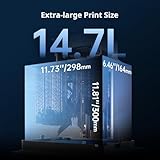
The auto resin refill detection and level sensing system monitors resin in the FEP vat and alerts you before the build plate emerges from the resin — preventing the failed dry prints that waste print time and can damage FEP film. The 200×126×235mm build volume fits the standard miniature print use case well — enough room for a 30-figure army batch, a large monster model, or several display busts simultaneously. At its price point, the Mono M7 is the accessible entry to quality resin printing — meaningfully cheaper than the Saturn 4 Ultra while delivering the core printing capability that matters most to new resin users.

What you can realistically print: Gaming and RPG miniatures at 28–75mm scale, small display busts, jewelry masters for casting, dental models, detailed replacement parts requiring smooth surface finish, batch printing multiple small figures efficiently.
Required additional purchases: Same as Saturn 4 Ultra — wash and cure station, nitrile gloves, respirator, IPA or wash solution. The Anycubic Wash & Cure Plus is a natural companion purchase.
Workshop/home fit: Same ventilation requirements as all resin printers — dedicated ventilated workspace, no pets nearby, always gloves and respirator for resin handling. The app monitoring reduces the need to be physically present during the print.
Pros:
- 12K resolution at a significantly lower price than the Saturn 4 Ultra
- Wi-Fi app monitoring and live camera — practical for long overnight print jobs
- Auto resin refill detection — prevents dry-print failures on large jobs
- 200×126×235mm volume fits miniature batch printing requirements well
- Best entry-level price for 12K resin quality
Cons:
- Smaller build volume than Saturn 4 Ultra — larger single models may require splitting
- 28 micron XY vs. Saturn’s 19 micron — marginal quality difference, but present at extreme magnification
- Same chemical hazard requirements as all resin printers — not a beginner-friendly technology overall
Best For: First-time resin buyers who want 12K quality miniature printing with app monitoring at the most accessible price — and are committed to setting up a proper resin handling and ventilation workflow.
10. UniFormation GK3 Ultra 13.5″ — Best Large-Format Resin Printer

Type: Resin MSLA | Screen: 13.5″ 8K Mono LCD | Build Volume: 293×165×300mm | XY Resolution: 29×24 microns | Layer Thickness: 0.01–0.3mm | Light Source: COB matrix LED | Price Range: $$$
The UniFormation GK3 Ultra solves the most significant limitation of standard resin printers for workshop and creative professionals — build volume. Its 293×165×300mm platform, driven by a 13.5-inch 8K mono LCD screen, provides the largest resin print area in this roundup by a wide margin. For users whose work involves larger display pieces, full busts at 1:6 or 1:4 scale, large costume helmet inners, shoe sole masters for the footwear industry, or batch printing dozens of standard 32mm miniatures in a single run, the GK3 Ultra’s expanded plate changes what’s possible without print splitting or separate batches.

The COB (chip-on-board) matrix LED light source delivers uniform UV intensity across the full 13.5-inch screen area — important at this scale because edge-to-center light intensity variation causes uneven curing and dimensional inaccuracy at the perimeter of large builds. At 8K resolution across 13.5 inches, the 29×24 micron XY pixel size maintains quality comparable to the Anycubic Mono M7 while printing at nearly 2.4× the surface area per batch. The linear rail Z-axis system provides the stability needed for accurate layer registration across the taller 300mm build height. UniFormation is a newer brand in the Western market — support and community resources are growing but not yet as extensive as Elegoo or Anycubic.

What you can realistically print: Large-scale character busts and figures, 1:6 scale helmets and armour pieces, full shoe soles for prototyping, large terrain pieces for miniature gaming, batch printing at scale (40+ 32mm figures per run), large-format jewelry masters.
Required additional purchases: Large-capacity wash and cure station (the standard Mercury Plus may be undersized for 293mm-wide prints — consider the Mercury X or equivalent), nitrile gloves, respirator, IPA or dedicated wash solution.
Workshop/home fit: Large physical footprint — requires a dedicated workstation with significant clear space. Full resin safety protocols required. Best in a dedicated workshop with dedicated ventilation.
Pros:
- 13.5″ screen / 293×165×300mm build volume — the largest resin print area in this roundup
- 8K resolution at 29×24 micron XY — maintains quality at expanded scale
- COB matrix LED for uniform curing across the full large screen area
- Linear rail Z-axis for accurate layer registration on tall prints
- Transforms what’s achievable in a single resin print run for large-format creative work
Cons:
- UniFormation is a newer brand — community support and troubleshooting resources less extensive than Elegoo/Anycubic
- Large physical size requires dedicated workspace and oversized wash station
- Higher price than Mono M7 and Saturn 4 Ultra — justified only if large-format resin volume is genuinely needed
Best For: Professional model makers, cosplay prop builders, footwear prototypers, and serious miniature hobbyists whose work consistently pushes against the limits of standard resin build volumes — and need large-format quality without going to industrial machines.
What to Actually Make: Home & Workshop Use Cases
The most common disappointment in 3D printing comes from buying the wrong machine for the work you actually intend to do. Here’s a practical map of home and workshop use cases to the correct printer type and settings:
| Use Case | Technology | Recommended Filament/Resin | Difficulty |
|---|---|---|---|
| Replacement car interior clips / trim | FDM | PETG or ABS (needs enclosure) | ⭐⭐ |
| Workshop drill press / router table jigs | FDM | PLA+ or PETG | ⭐⭐ |
| Cable management clips and holders | FDM | PLA | ⭐ |
| Custom wall brackets and tool holders | FDM | PETG | ⭐⭐ |
| Gaming miniatures and RPG figures | Resin | Standard or ABS-like resin | ⭐⭐ |
| Cosplay props and helmet pieces | FDM (large) | PLA or PETG | ⭐⭐⭐ |
| Engine bay brackets (heat-exposed) | FDM (enclosed) | ASA or PA-CF | ⭐⭐⭐ |
| Waterproof outdoor fixtures / garden mounts | FDM | PETG or ASA | ⭐⭐ |
| Jewelry casting masters | Resin | Castable resin | ⭐⭐⭐⭐ |
| RC / drone structural replacement parts | FDM (enclosed) | PETG-CF or PA-CF | ⭐⭐⭐ |
Filament Guide: What Material for What Job
The machine is only half the equation. Choosing the right filament for the specific use case determines whether a printed part actually survives its intended environment. Here’s the practical guide:
| Filament | Heat Resistance | Ease of Printing | Best Workshop Uses | Enclosure? |
|---|---|---|---|---|
| PLA / PLA+ | Low (~60°C) | Easiest | Prototypes, display models, interior brackets | No |
| PETG | Moderate (~80°C) | Easy | Waterproof parts, functional components, tool holders | Helpful |
| ABS | High (~100°C) | Moderate | Automotive interior parts, power tool housings | Yes + ventilation |
| ASA | High (~100°C) | Moderate | Outdoor / UV-exposed parts, engine bay fixtures | Yes |
| TPU | Moderate | Moderate | Phone cases, gaskets, vibration dampeners, seals | No |
| PA / PA-CF (Nylon) | Very High (~120°C) | Difficult | Structural brackets, RC parts, load-bearing components | Yes + heated chamber |
| PC (Polycarbonate) | Excellent (~130°C) | Very Difficult | Industrial prototypes, high-stress mechanical parts | Yes + active heated chamber (QIDI Q2) |
The filament moisture problem for garage workshop users: PLA, PETG, PA/nylon, and TPU are all hygroscopic — they absorb moisture from the air. In a humid garage, an open spool can absorb enough moisture in 24–48 hours to cause stringing, popping sounds during printing, rough surface texture, and significantly weakened layer bonds on structural parts. The fix is inexpensive: store all filament in sealed containers with silica gel desiccant packs, and use a dedicated filament dryer during printing sessions in humid conditions.
Safety & Ventilation: What the Listings Don’t Tell You
3D printer listings never describe the air quality implications of their products. For home and workshop users, this is the most important information omitted from the buying decision.
PLA filament: The safest option — derived from plant starch, it produces minimal VOCs at printing temperatures. Safe to print in a bedroom, living space, or shared garage workshop without any additional ventilation measures. The correct default choice for any home user who doesn’t have a dedicated ventilation setup.
PETG filament: Very low VOC production. Essentially safe for home use without dedicated ventilation. Fine for open-frame printers in any occupied space.
ABS and ASA filaments: Both produce styrene during printing — a respiratory irritant and classified potential carcinogen at sustained exposure levels. Never print ABS or ASA in an unventilated enclosed space. The correct approach for home use: use an enclosed printer with active carbon filtration (Bambu P1S or QIDI Q2), or ensure active airflow through the workspace when using an open-frame printer with ABS. Not suitable for bedrooms or shared family living spaces without filtration.
PA (nylon) and CF composites: Produce caprolactam and other compounds during printing. Require ventilation or active filtration. Enclosed printers with HEPA+carbon systems handle this appropriately for home/workshop use.
Resin printing: Liquid photopolymer resin contains photoinitiators and reactive monomers including formaldehyde compounds. Resin printing requires nitrile gloves and a respirator (minimum P100 with organic vapor cartridges) at all times when the FEP vat is open. Never print resin in a space occupied by birds — resin vapors are acutely toxic to avians. Do not print resin near small animals or in spaces without active ventilation. A dedicated garage workshop with window ventilation or a carbon filter enclosure is the minimum appropriate setup.
Multi-Color / Multi-Filament Reality Check
Multi-filament printing is genuinely impressive when you see the results — but the marketing obscures several practical realities that affect buying decisions.
Purge waste is significant: Every filament color change requires the printer to purge the previous color from the hotend before switching. This creates a “purge tower” of waste material — typically 20–30% of total filament on complex multi-color prints. A 200g decorative print can generate 50–70g of mixed-color waste that goes directly in the bin. For functional single-color workshop prints, this waste doesn’t apply — but for color-intensive decorative prints, factor it into material costs.
Print time increases with color complexity: Each color change adds time — purging, loading, and priming the new filament. On a simple 3-color logo object, this adds 10–20 minutes total. On a complex 8-color character model, it can add 60–90 minutes to the raw print time.
Not all multi-color systems are equal: Bambu Lab’s AMS system manages filament loading automatically and handles most jams without user intervention. Anycubic’s ACE system is similarly reliable. Budget “multi-color” machines requiring manual filament swaps mid-print are not the same category — they require the user to be present at specific moments during long prints. Only consider integrated AMS/ACE-type systems for reliable unattended multi-color printing.
The honest use case: Multi-color printing is most valuable for decorative models, miniatures with distinct color zones, and labeled or color-coded functional parts (different colors for different tool sizes, for example). For functional structural workshop parts, single-color printing is faster, cheaper per print, and simpler to manage.
Open-Source vs. Proprietary Ecosystem: The Long-Term Decision
The ecosystem decision matters more over a 3–5 year ownership period than the initial purchase specs.
Proprietary ecosystems (Bambu Lab): Bambu’s AMS system, Bambu Studio slicer, cloud connectivity, and firmware are all brand-controlled. Replacement parts are sourced through Bambu directly. When the ecosystem works — and it works very well out of the box — this is irrelevant. When something fails after warranty, you depend on Bambu’s parts availability and pricing. Some critical components are designed into the frame in ways that complicate user replacement. The trade-off for this lock-in is the best out-of-the-box calibration and reliability in the market.
Open-source (Creality, QIDI Klipper, Prusa): Community-supported firmware (Klipper, Marlin), replacement parts available from dozens of independent suppliers, third-party slicers (Orca Slicer, Cura, PrusaSlicer) fully supported. The Creality Ender 3 platform has the largest user community in 3D printing history — solutions to virtually every problem exist on YouTube and Reddit. When a component wears out after 3 years, you order the standard part from any supplier. The trade-off is more initial setup and a steeper learning curve.
For home/workshop reliability: If you want to print and not think about the machine, choose Bambu. If you want to understand the machine, modify it, and repair it independently for years, choose Creality or QIDI’s Klipper-based machines.
Essential Accessories to Buy With Your 3D Printer
These are the accessories that prevent the most common first-month frustrations and complete a functional home workshop setup:
- Filament dryer / storage box: Mandatory for garage and workshop users in humid climates. Actively heats and dries filament during printing. Prevents the stringing, bubbling, and weak layer bonding caused by moisture-absorbed filament. $30–$60 on Amazon — one of the highest-impact per-dollar accessories.
- PEI spring steel build plate (if not included): Better adhesion during printing and clean part release when cooled — flex the plate slightly and parts pop off without tools. Standard on Bambu and QIDI machines; an upgrade on Creality Ender 3.
- Orca Slicer (free software): The open-source slicer that works with every FDM machine in this roundup and is widely considered superior to Creality’s and ELEGOO’s bundled software. Download free at orcaslicer.com.
- Digital calipers: Essential for measuring dimensions of parts you’re replacing or creating — dimensional accuracy to ±0.1mm. The $15–$20 digital version is sufficient for all home use.
- Flush cutters and deburring tool: For support material removal and edge finishing on FDM prints. Flush cutters specifically — they cut closer to the surface than standard wire cutters.
- For resin users — Wash and cure station: Elegoo Mercury Plus or Anycubic Wash & Cure Plus — mandatory for the resin workflow. Budget $50–$80 and purchase it at the same time as the printer.
- Enclosure tent (for open-frame printers using ABS/ASA): A fabric enclosure tent with carbon filter maintains ambient temperature and captures VOCs for open-frame printers attempting ABS/ASA work. $80–$120 and significantly improves success rates with temperature-sensitive materials.
- USB webcam (for printers without built-in camera): Enables remote print monitoring via OctoEverywhere or Obico — catch spaghetti failures and pause remotely on long overnight prints.
Buying Guide Checklist: What to Confirm Before You Buy
- Technology first: FDM for functional parts, large prints, and general home workshop use. Resin for high-detail miniatures, jewelry, and display models. Most buyers need FDM.
- Motion system: CoreXY for speed and tall-print quality. Cartesian (bed-slinger) only if maximum repairability and lowest price are the primary requirements.
- Print speed (real-world): Compare Benchy benchmark times, not peak mm/s. Under 20 minutes is fast; 45+ minutes is entry-level.
- Build volume: Standard home prints fit in 200×200×200mm. Workshop parts and cosplay often require 300mm+. Large format (420mm+) only if you regularly need it — the machine footprint grows proportionally.
- Enclosure: Required for ABS/ASA/PA/PC filaments. Required for garage workshops with significant seasonal temperature variation. Built-in active carbon filtration is strongly recommended over passive sealing for home use.
- Bed leveling: Automatic mesh leveling with at minimum 9 probe points — non-negotiable on any new purchase. All machines in this roundup include it.
- Filament compatibility: PLA/PETG for beginners; ABS/ASA/CF-composites require enclosed heated-chamber machines (P1S, QIDI Q2). Match the machine to the material range you actually intend to use.
- Multi-filament: Genuine AMS/ACE integrated systems only (Bambu, Anycubic) for practical unattended multi-color printing. Avoid manual-swap systems for anything beyond experimental use.
- Camera and remote monitoring: Strongly recommended for workshop use — built-in AI failure detection saves filament and print time on long unattended jobs.
- Ecosystem: Proprietary (Bambu) for maximum ease of use and reliability. Open-source (Creality, QIDI Klipper) for maximum repairability, customization, and long-term independence.
- Noise level: Under 50 dB for home/bedroom use; 50–65 dB for dedicated workshop use. Bambu Lab machines are the quietest in the category.
Frequently Asked Questions
Conclusion: The Right Machine for the Right Work
The 3D printer market in 2026 has genuinely delivered on its long-standing promise — machines that work reliably, print quickly, and don’t require constant troubleshooting to produce good results. The decisions that matter are technology, enclosure, and material range — not brand loyalty or marginal speed differences.
For most home users starting their first printer: the Bambu Lab A1 Mini Combo is the machine that will produce excellent results from the first session, include multi-color capability from day one, and require the least time spent on calibration and troubleshooting. It’s the right answer for the majority of home workshop and hobby use cases where build volume under 180mm suffices.
For the garage workshop user who needs to print functional parts in ABS, ASA, nylon, or carbon fiber composites: the QIDI Q2 is the machine engineered specifically for that environment — 65°C active heated chamber, 350°C nozzle, ultra air filtration, and 600mm/s CoreXY speed that makes production-quantity workshop printing viable.
For the best budget speed performance in single-filament FDM: the ELEGOO Centauri Carbon delivers more machine per dollar than any competitor at its price tier. And for the miniature painter or model maker whose primary requirement is surface detail that FDM cannot match: the Elegoo Saturn 4 Ultra is the current benchmark for home resin quality — with the caveat that resin printing requires a proper ventilated setup and safety protocol that shouldn’t be underestimated.
Check current prices on Amazon:
| Product | Best For | Amazon Link |
|---|---|---|
| Bambu Lab A1 Mini Combo | Best All-Round Home Printer | 🛒 View on Amazon |
| ELEGOO Centauri Carbon | Best Budget Speed Printer | 🛒 View on Amazon |
| Bambu Lab P1S | Best Enclosed FDM Printer | 🛒 View on Amazon |
| Creality Ender 3 V3 SE | Best Ultra-Budget Starter | 🛒 View on Amazon |
| QIDI Q2 | Best for Garage Workshop | 🛒 View on Amazon |
| Anycubic Kobra 3 Max Combo | Best Large-Format Multi-Color | 🛒 View on Amazon |
| Creality K2 Pro Combo | Best Professional Multi-Color | 🛒 View on Amazon |
| Elegoo Saturn 4 Ultra | Best Resin Detail Printer | 🛒 View on Amazon |
| Anycubic Photon Mono M7 | Best Beginner Resin Printer | 🛒 View on Amazon |
| UniFormation GK3 Ultra | Best Large-Format Resin | 🛒 View on Amazon |


